Sunsama is a popular daily planner for people who want to plan their day intentionally. It pulls in tasks from your other apps, guides you through daily planning and shutdown rituals, and lets you drag tasks into a time-blocked calendar. But it isn’t the right fit for everyone, and some people want a lower price, more auto-scheduling, or a different mix of features.
I compared the 7 closest Sunsama alternatives, including what each one does similarly and what it does differently, so you can find the one that fits your use case.
⚡TL;DR: Best Sunsama Alternatives
How I evaluated Sunsama alternatives
Sunsama now has an AI assistant and features a new daily planning ritual that uses AI to help plan your day, so I created a new account and went through onboarding so I could understand which other apps come closest to the new overall experience.
Sunsama’s core value comes down to connecting your existing apps to sync all your tasks in from multiple sources, then guiding you through making your plan for the day with an AI assistant and task auto-scheduling, plus drag and drop scheduling between the to-do list and the schedule to make final tweaks.
I then ranked apps by how closely they match those core values.
Disclaimer: One of the products below, FlowSavvy, is our product. I subjected it to the same evaluation criteria and have listed it where it is a good fit, including who it’s good for and who it’s not good for.
Sunsama Alternatives Compared by Features
| Best for | Key features | Price | |
|---|---|---|---|
| Akiflow | Closest feature match | – Guided daily planning and shutdown rituals like Sunsama – Large integration list – “Aki” chat assistant can plan your week | No free plan (7-day trial); $34/mo or $228/yr |
| Ellie | Closest feel to Sunsama at a lower price | – Board of days + 1-day calendar in one view, like Sunsama – Daily Planning and Daily Shutdown views – Smooth iOS app | Free; $9.99/mo or $99.99/yr |
| FlowSavvy | Auto-scheduling for individuals | – Builds your schedule from your to-do list automatically – Automatically reschedules when plans change – Fully featured mobile apps | Free; $14/mo or $120/yr |
| Motion | Auto-scheduling for teams | – Auto-scheduling for tasks – Project management views – Team collaboration features | Multiple tiers starting at $49/mo or $348/yr |
| Morgen | AI scheduling suggestions you can accept or reject | – Drag and drop tasks from the to-do list to plan manually – AI planner for auto-scheduling | $30/mo or $180/yr, with discounts for teams |
| Super Productivity | Free, open-source Sunsama alternative | – Basic day-bound auto-scheduling like Sunsama – Highly customizable – Community plugins | Free (open source) |
| TickTick | Built-in task management | – Calendar view, natural language task entry – Eisenhower matrix, habit tracker, pomodoro timer – Strong mobile apps | Free; $4.99/mo or $49.99/yr (calendar requires Premium) |
1. Akiflow: Closest Sunsama alternative overall
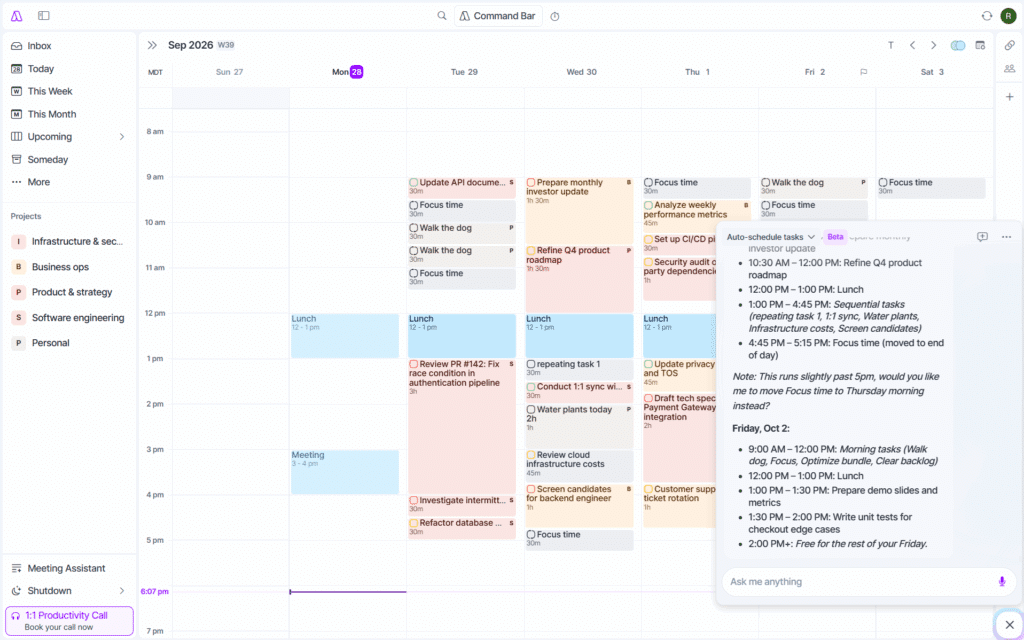
Akiflow is by far the closest Sunsama alternative in terms of feature parity. It hits most of Sunsama’s core features, but the main drawbacks are that it doesn’t include Sunsama’s “task projections” feature, and the price is higher.
Akiflow supports almost all of the features that make Sunsama popular for intentional daily planning. It allows you to sync in tasks from many sources, then follow daily guided rituals to plan them into your day, and it even has similar board views where you can drag tasks from your day boards into the current day (Click “Tasks”, then “Upcoming”, then change to the day view). The UI has a lot going on, so it may feel busy compared to Sunsama’s focused approach, but for people looking for maximum feature parity, Akiflow is the answer.
The one feature that I missed from Sunsama was the task projections, which show a preview of your tasks scheduled into the day, which made it easier to visualize my capacity for the day and not overload myself. Besides that though, Akiflow has the AI assistant “Aki”, similar to Sunsama’s “Sunny”, so you can still use AI to make changes in the calendar.
The other main tradeoff is price. Akiflow is more expensive than Sunsama ($34/mo vs Sunsama’s $22/mo), and its free trial requires a credit card. However, Akiflow regularly has promos going where you can upgrade at a discount. For example, when I created an account, I was offered a promo discount at signup that makes the annual plan $16.15 billed monthly ($193.8 total), which is actually cheaper than Sunsama’s annual plan ($204), so Akiflow can be cheaper if you sign up with one of these promo offers.
Pros
- Guided daily planning and shutdown rituals like Sunsama
- Large number of integrations
- Chat-based scheduling assistant
- Premium feel and intuitive UI
Cons
- Expensive compared to most productivity apps
- Requires connecting an external calendar
Pricing
- Free plan: No (7-day free trial, credit card required)
- Paid plans: $34/mo or $228/yr
💡Check out our Akiflow alternatives guide for more apps like Akiflow
2. Ellie: Closest cheaper alternative to Sunsama
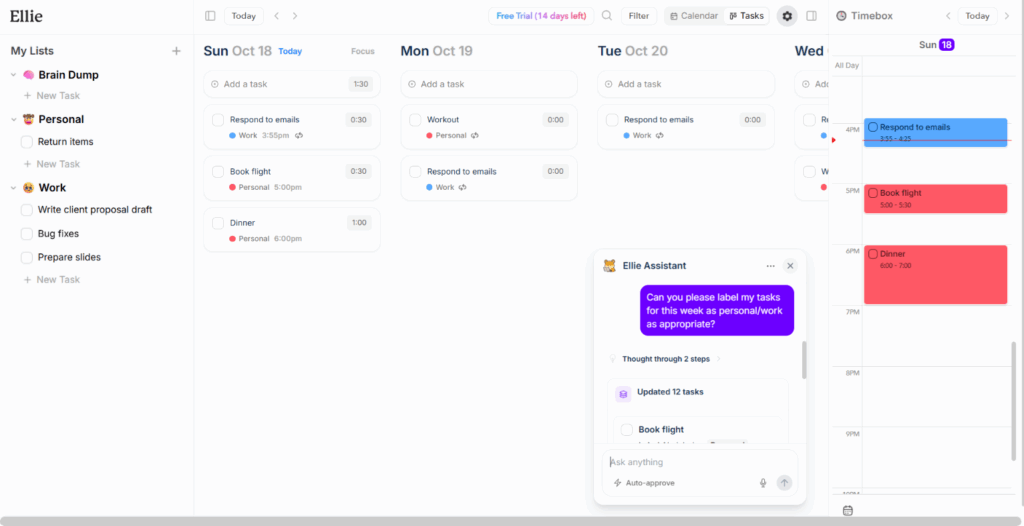
Ellie actually feels the most similar to Sunsama out of all the apps on this list. It’s clean, focused, and has the same board-to-calendar workflow as Sunsama. If you want basically a more affordable version of Sunsama, and don’t need to pull in tasks from tons of different sources, Ellie will be a good fit for you.
In Ellie’s “Tasks” views, you can organize tasks into lists in the backlog, then drag them onto specific days in your Kanban-style board, then drag them from there into specific times in the calendar view on the right sidebar. The Daily Planning and Daily Shutdown views are hidden inside the settings gear in the top right for people who want to be guided through their daily planning.
The main limitation of Ellie compared to Sunsama is that it has fewer native integrations for pulling tasks into Ellie. The offered integrations for syncing in tasks are Slack, Notion, and Todoist. If the task consolidation aspect of Sunsama is important to you, Akiflow might be a better Sunsama alternative for you, but otherwise, Ellie will be the closest, more-affordable Sunsama alternative.
Pros
- Same board + calendar sidebar view and daily rituals as Sunsama
- Drag and drop between backlog lists, day lists, and the calendar in one view
- Smooth, intuitive UI
- Smooth iOS app
- Less than half the price of Sunsama
Cons
- No auto-scheduling like Sunsama’s task projections
- No weekly planning ritual
- Fewer integrations than Sunsama
- No Android app
Pricing
- Free plan: Yes
- Paid plans: $9.99/mo or $99.99/yr
3. FlowSavvy: Best Sunsama alternative for auto-scheduling for individuals
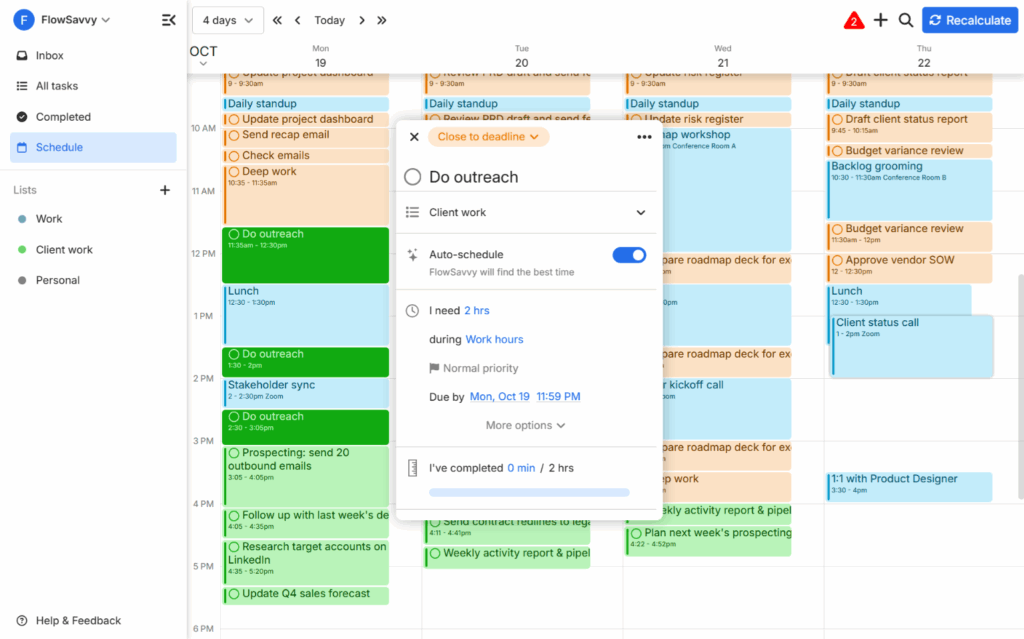
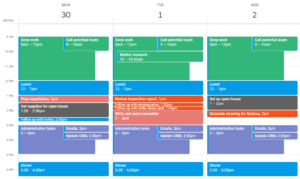
FlowSavvy is best for people who want a great time blocking app like Sunsama, but who prefer to have all their tasks auto-scheduled for them. FlowSavvy automatically schedules tasks from your to-do list into your calendar for you, and auto-reschedules when plans change or you miss a task. It considers all the things you need to get done in the next few weeks, so it can find the optimal plan for each day to ensure you hit all your deadlines. You just open the app and look at what to do next.
Sunsama’s task projections are a helpful jumpstart to planning your day, but they only get scheduled on the exact day you chose for each task, and they do not spill over into the next day if there isn’t enough time. If you liked Sunsama’s auto-scheduled task projections and want a full auto-scheduler built for individuals (not teams), FlowSavvy will be the best fit for you.
The main limitations of FlowSavvy as a Sunsama alternative are that it doesn’t offer the ability to drag tasks from the to-do list into the calendar, and it doesn’t offer team features like Sunsama’s event guests and conferencing details. Tasks from the to-do list are auto-scheduled into the calendar, and then they can be dragged around to tweak the plan. If you want an auto-scheduler with team features, Motion will be a better fit for you.
Pros
- Builds your schedule from your to-do list automatically
- Automatically reschedules tasks when plans change or you don’t complete a task
- Fully featured mobile apps
- Low learning curve
Cons
- No event guests or conferencing details
- Can’t drag tasks from the to-do list into the calendar to manually plan them. Tasks can be dragged within the calendar though.
Pricing
- Free plan: Yes
- Paid plans: $14/mo or $120/yr
4. Motion: Best Sunsama alternative for auto-scheduling for teams
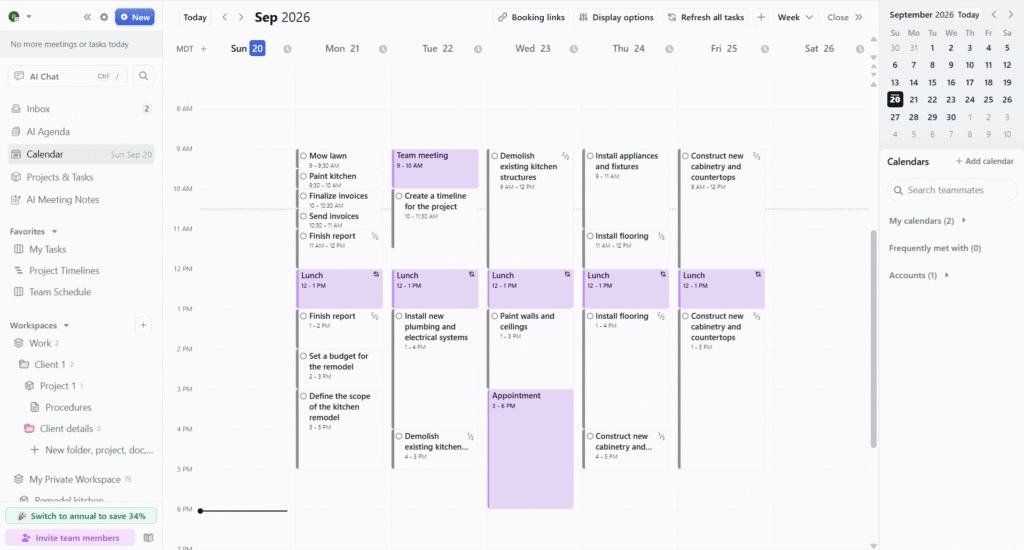
Motion is an AI productivity suite that offers auto-scheduling, project management, and notes. It can help you create detailed project plans with AI, and then schedule tasks directly into each team member’s calendar, so everyone always knows what to work on.
Motion works well as a Sunsama alternative for the same reason as FlowSavvy: it considers your entire week of priorities and then auto-schedules tasks into your calendar, rescheduling when plans change. I’ve included both in this list because Motion is the better pick for teams, whereas FlowSavvy is the better pick for individuals.
One thing Sunsama users will notice is that Motion has few task integrations compared to Sunsama, but it does have Zapier support, so you can still connect it to other tools. Motion is also much more than a daily planner, so people who don’t work on a team and who just want an easy daily planner may find it heavier than necessary.
Pros
- Builds and reschedules your schedule automatically
- Advanced project management views like Gantt charts and Kanban boards
- AI project creation and reusable project templates
- Full productivity suite: calendar, notes, booking links, AI meeting notetaker
Cons
- Few task integrations (Zapier is supported)
- High learning curve
- Expensive if you only want the daily planning features
- Limited mobile companion app
Pricing
- Free plan: No
- Paid plans: Individual plans start at $49/mo or $348/yr, with discounts for teams
💡Looking for an auto-scheduling alternative to Sunsama? Check out our FlowSavvy vs Motion guide to find the one that is best for your use case.
5. Morgen: Best for AI scheduling suggestions you approve or reject
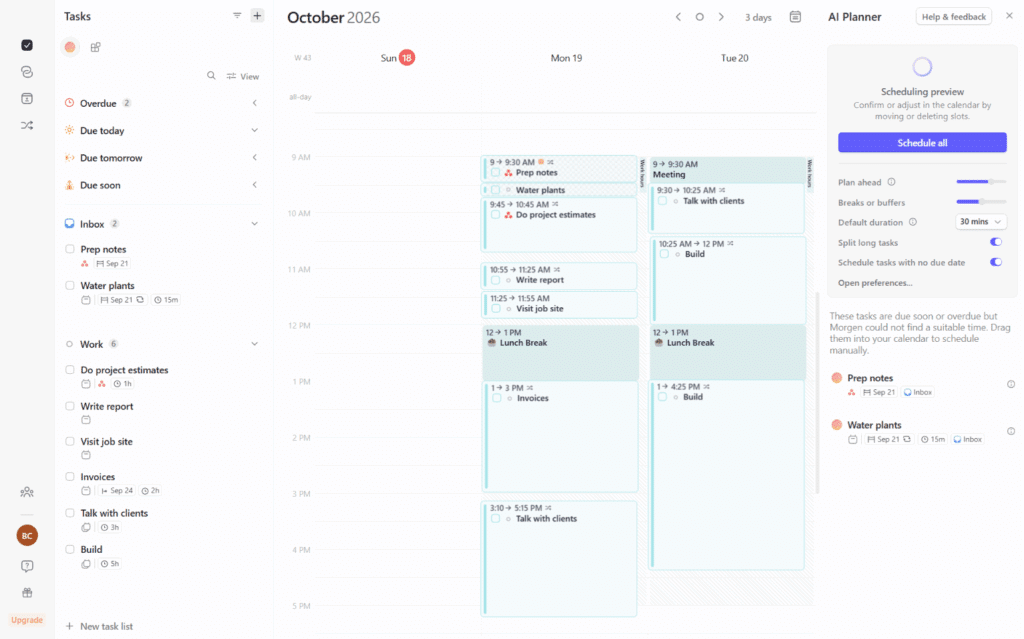
Morgen is a time blocking app that aggregates all your tasks from different sources and then allows you to drag them into the calendar or use the AI planner feature to plan them for you. When you use the AI planner, it gives suggestions for the time block placements, and you can choose to accept them or not, meaning tasks will never move without your explicit consent.
Morgen is a close Sunsama-style alternative, with a similar drag-and-drop approach to planning, and its auto-scheduling goes a step further: tasks can spill into earlier or later days rather than only the day they were assigned to, which makes for more realistic daily and weekly plans.
The main drawback with Morgen as a Sunsama alternative is that it doesn’t support the daily planning rituals that Sunsama, Akiflow, and Ellie do. If those rituals aren’t important to you, Morgen is a fantastic time blocking alternative to Sunsama.
Pros
- Premium feel, easy drag and drop planning
- AI Planner drafts a schedule you can tweak before accepting
- You’re in full control of when tasks move
- Large number of integrations
Cons
- Expensive compared to most productivity apps
- Requires connecting an external calendar
Pricing
- Free plan: No (14-day free trial, no credit card required)
- Paid plans: $30/mo or $180/yr, with discounts for teams
6. Super Productivity: Best open-source, free Sunsama alternative
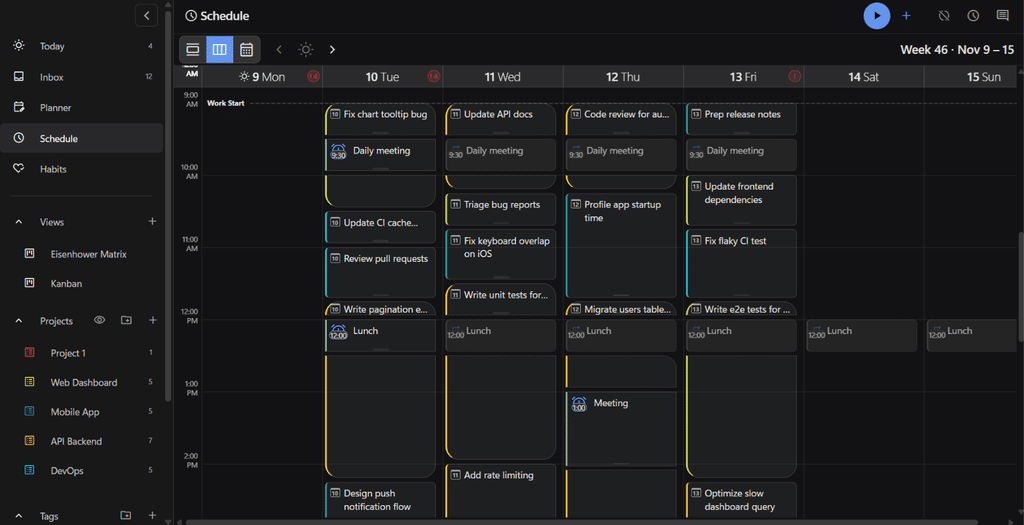
Super Productivity is an open-source, free app with tons of features, including Sunsama-like planning and day-bound auto-scheduling like Sunsama’s “Task Projections” feature. If Sunsama’s price is what’s pushing you to look for alternatives and you like Sunsama’s “Task Projections” feature, Super Productivity is the best free option I found.
When you add a task to the planner on a specific day, it will show up at the first available time in that day in the calendar, auto-splitting around other events and fixed-time tasks. It even shows how many hours of tasks you’ve planned for the day vs your available time in the board view, similar to how Sunsama does, so you can be more aware of when you’re overcommitting.
Super Productivity is highly customizable. You can turn features on or off, import your own themes, choose the background picture of projects, and customize tons of options (example: there’s an option to get a confirmation before you exit the app). It also supports community plugins.
That said, it definitely felt like an open source app. It’s a little clunky, with a huge feature set and tons of options. The customization can be overwhelming if you just want an app that is set up to work well for most people. Also, it doesn’t support dragging tasks from the board view into the calendar like Sunsama, at least not from what I could find and not in the listed community plugins. However, it is open source, so if you want a feature, you can build it.
Pros
- Open source and 100% free (no premium tiers, no ads, nothing)
- Basic day-bound auto-scheduling like Sunsama. Add tasks to the board view and they’ll show up in the calendar, splitting around events.
- Highly customizable. Turn features on or off, import your own themes, etc.
- Community plugins
Cons
- Can’t drag from the planner to the calendar
- The feature set and customizations are overwhelming if you just want an app that is set up to work well for most people. It will take some time to learn.
Pricing
- Free and open source
7. TickTick: Best for built-in task management
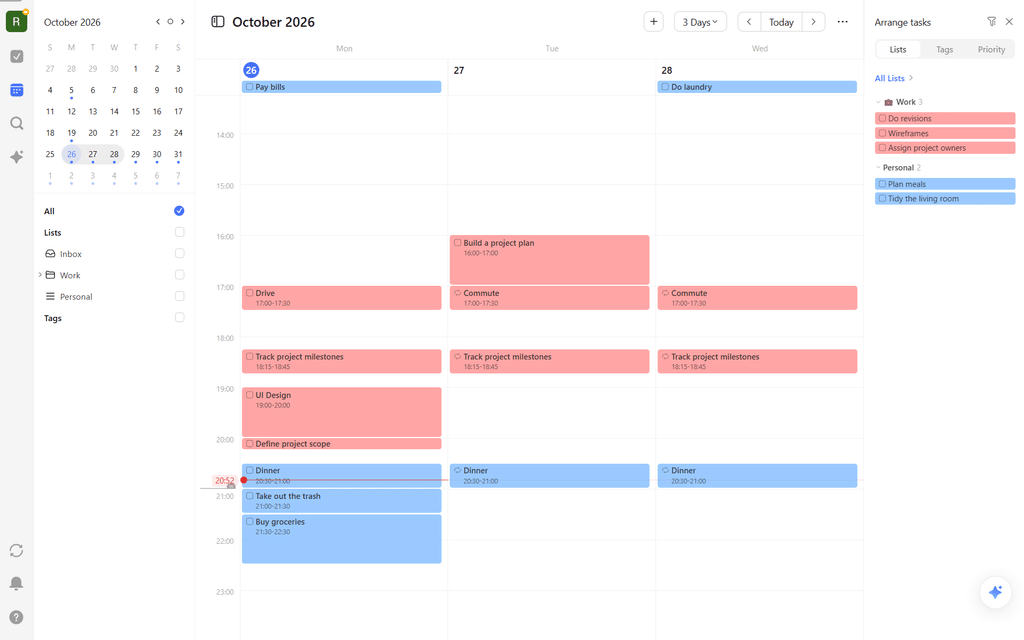
TickTick is my top pick as a Sunsama alternative that focuses on task management, because it has a view that allows you to drag tasks from your to-do list directly into your calendar, like Sunsama. However, TickTick is primarily a tasks and notes manager, so this option is best for people that want stronger built-in task management than Sunsama at a much lower price.
TickTick also has an AI chat assistant that can make changes to your tasks (including plan them on the calendar and reschedule them), similar to Sunsama’s Sunny assistant.
The main drawback to TickTick as a Sunsama alternative is that it’s not as geared toward time blocking as the other options on this list. It works, but time blocking isn’t its primary purpose. For example, tasks don’t support duration without being put in the calendar, so you can’t assign a duration when you create the task and then just drop it into your calendar with the correct duration later.
Pros
- Affordable
- Top-tier task management with natural language parsing
- Eisenhower matrix, habit tracker, and pomodoro timer (enable these in “Settings -> Features”)
- Strong mobile apps
Cons
- The calendar view is only available on the paid plan
- Unscheduled tasks have no duration
- Can’t create events in TickTick’s calendar (only tasks)
Pricing
- Free plan: Yes, though the calendar view requires a paid plan
- Paid plans: $4.99/mo or $49.99/yr
Why I skipped Reclaim and Structured
Reclaim and Structured show up on a lot of Sunsama alternatives lists, so here is why they aren’t on this one.
Reclaim: Reclaim 2.0 no longer auto-schedules individual tasks, which is why it used to be recommended as a Sunsama alternative. Now, it still auto-schedules your meetings and habits, and it surfaces a list of relevant tasks you could work on at any given moment. Sunsama’s workflow is focused around time blocking tasks into the calendar, so Reclaim is less of a direct alternative now. For auto-scheduling meetings and habits and getting recommendations for what to work on at the current time though, it’s a great option.
Structured: Great, simple app with a colorful design, and especially popular on mobile. I found the workflow to be a little too different from Sunsama to recommend it over the apps above.
Final thoughts: What is the best Sunsama alternative?
If I were looking for a Sunsama alternative, I’d try Akiflow first. It’s the only app on the list that matches nearly everything, from the rituals to the AI assistant, but it costs more than Sunsama unless you catch a promo. If that’s a dealbreaker, Ellie gives you the same board and calendar layout for $9.99/mo, as long as you can live with only Slack, Notion, and Todoist integrations.
Neither of those has anything like Sunsama’s task projections. If you liked having your day laid out for you, FlowSavvy (solo) and Motion (teams) schedule everything for you and reschedule when you fall behind. Morgen is the middle ground, since its AI only suggests and you approve every move. And if the goal is to find a cheaper alternative, Super Productivity is free and has task projections, though the customizability can be overwhelming, while TickTick is a $4.99/mo task manager that has a built-in calendar.
FAQs
Is there a free alternative to Sunsama?
Yes. Super Productivity is completely free and open source, and Ellie, FlowSavvy, and TickTick all offer free plans (TickTick’s calendar view requires a paid plan). Ellie is the closest free option to Sunsama’s daily planning experience, while FlowSavvy is the best free option for auto-scheduling.
Which daily planner apps are similar to Sunsama?
Ellie and Akiflow are the most similar apps to Sunsama, since they both offer guided daily planning rituals and drag and drop planning from your to-do list into the calendar. Ellie has the same board + calendar sidebar view, and Akiflow has a large integration list like Sunsama.
How much does Sunsama cost?
Sunsama costs $22/mo or $204/yr. It does not have a free plan, but it offers a 14-day free trial with no credit card required.
Is Sunsama or Motion better?
Sunsama and Motion are better for different things. Sunsama is better for people who want to be intentional about what they work on each day with lightweight day-scoped auto-scheduling, while Motion is better for teams who want fully automatic scheduling alongside project management.
Do any Sunsama alternatives have a mobile app?
Yes. FlowSavvy and TickTick have strong mobile apps on iOS and Android, and FlowSavvy’s mobile apps have all the same features as its web app. Ellie has a smooth iOS app (no Android app), and it’s one of very few apps that lets you drag tasks from a to-do list into the calendar on mobile. Akiflow, Motion, and Morgen offer limited companion mobile apps.