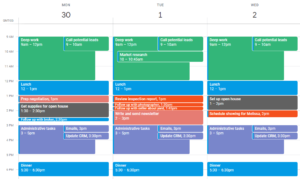
Clockwise just announced they’re shutting down on March 27, 2026. Here are the 4 best Clockwise alternatives to use instead, according to your use case.
⚡TL;DR: Clockwise Alternatives
- If you want 1:1s and group meetings to be automatically moved, the only real option is Reclaim.
- If you want to auto schedule your tasks (not meetings), FlowSavvy will be best for individuals, and Motion will be best for teams.
- One to keep an eye on: Microsoft Copilot is starting to add auto-rescheduling features, but the feature is still being rolled out as of Mar 21, 2026.
What is Clockwise? (and why it’s shutting down)
Clockwise is an AI scheduling assistant that intelligently reorganizes team meetings to maximize everyone’s focus time. For example, if your team has a bunch of meetings scattered all throughout the day and creating fragments blocks of focus time for everyone, Clockwise will automatically reorganize your meetings to give everyone the most amount of uninterrupted focus time.
I first heard of Clockwise in 2021 while discussing AI scheduling tools with a colleague, and I’ve always been impressed by the value they created. As a cofounder of another tool in the AI scheduling space (FlowSavvy), I have a deep appreciation for what the Clockwise team accomplished and the technology they created.
Clockwise is being shut down due to the team joining Salesforce to work on other projects. It will no longer be available after March 27, 2026.
How I evaluated Clockwise alternatives
Scheduling software is an insanely saturated market with several hundred well-known scheduling tools, but Clockwise was part of a very small niche of true auto-scheduling apps, so I wanted this article to give you apps that replicate Clockwise’s behavior, not just other calendar apps or general scheduling tools.
To narrow this down, I looked at Clockwise’s most important and unique features. I did a deep dive in Clockwise just a few weeks ago while writing our guide on AI Scheduling Assistants (bad timing, I know) and while I was experimenting with Clockwise, I noticed 2 core components:
- Automatically moving meetings with teammates
- Flexible tasks (i.e. you block off time to work on a task, and it will be rescheduled as needed)
I looked for apps that excelled in those 2 areas to come up with this list. While researching Clockwise alternatives, I found that the common suggestions were email-based schedulers, calendars that don’t automatically move anything, and chat-based day planners, but these categories felt too tangential to Clockwise’s core offerings, so I’ve excluded them from this list. The reality is that there are currently very few apps that automatically reoptimize your calendar like Clockwise did, which is why this is a shorter, more focused list.
Quick Decision Table
| Best for | Relevant features | Key limitation | Price | |
|---|---|---|---|---|
| Reclaim | Auto scheduling meetings | – Smart meetings – Flexible tasks and habits | Limited native task management | Free, Multiple tiers starting at $12/mo or $120/yr |
| FlowSavvy | Auto scheduling tasks for individuals | – AI scheduling for tasks – Task lists for organization | Does not move meetings | Free, $14/mo or $120/yr |
| Motion | Auto scheduling tasks for teams | – AI scheduling for tasks – AI project management | Does not move meetings. Higher learning curve. | Multiple tiers starting at $49/mo or $348/yr, discounts for teams |
| Microsoft Copilot in Outlook | Outlook users | – Auto-rescheduling 1:1s | Not fully rolled out yet, and will only be accessible on enterprise plans. | Included with Copilot enterprise license |
1. Reclaim: Best alternative for auto rescheduling meetings
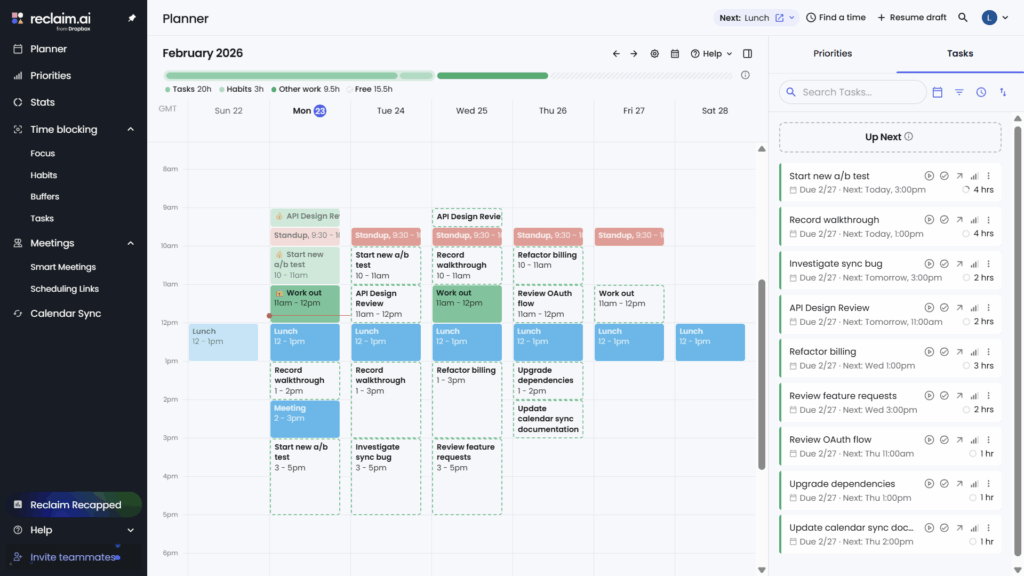
Reclaim is the closest Clockwise alternative for auto scheduling meetings with teammates and clients, no question. It has a “Smart Meetings” feature, where you can set up 1:1s or group meetings that will automatically rearrange themselves to optimize your team’s time, exactly like Clockwise.
At the moment, Reclaim is the only app I could find that has this multi-member auto rescheduling functionality like Clockwise. It looks like Microsoft is adding very basic auto rescheduling functionality to Outlook, but it’s not fully rolled out yet (see #4 below), so if you’re looking for an app to automatically move your multi-attendee meetings, Reclaim is currently the only option.
Reclaim takes AI scheduling one step further by also auto-scheduling individual tasks into your calendar. Clockwise did have the “flexible holds” feature, which acted as a simple way to put time for tasks on the calendar, but it wasn’t as robust for task management as the AI task schedulers like Reclaim, FlowSavvy, and Motion.
Pros
- Auto-schedules 1:1s, group meetings, focus time, and tasks
- Mirrors events between personal and work calendars
- Priority-aware scheduling links
Cons
- No native mobile app. Can be used as a PWA
- No project management / task organization
Pricing
- Free version: Yes
- Paid: Multiple tiers starting at $12/mo or $120/yr
2. FlowSavvy: Best alternative for auto scheduling tasks
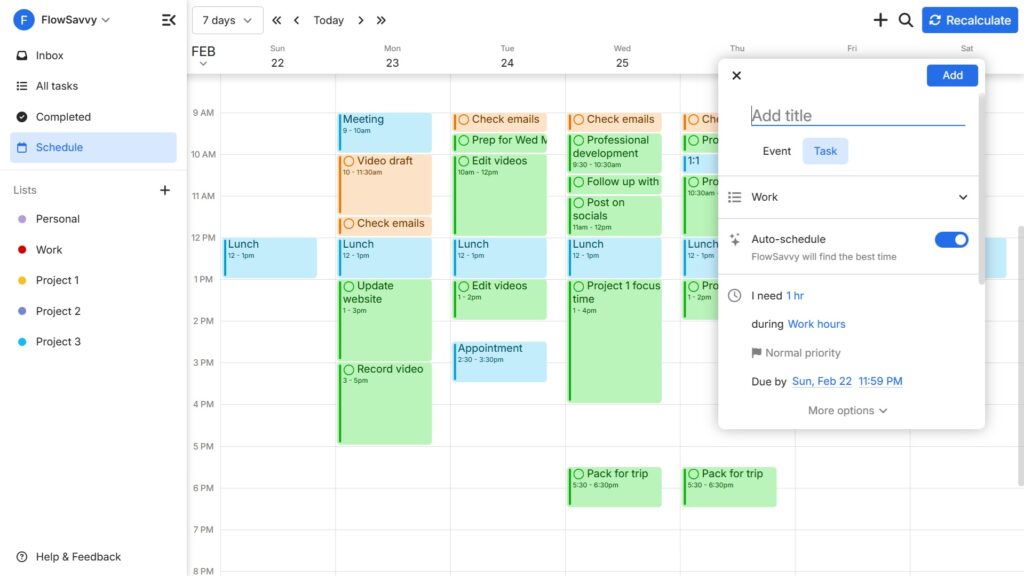
FlowSavvy is an AI calendar that auto schedules tasks from your to-do list into your calendar and reschedules them if conflicts arise or you miss tasks.
As previously mentioned, Clockwise had a feature called “Flexible holds”, where you could create blocks of time in your calendar for individual tasks. This was helpful for people who liked time blocking but wanted their time blocks to be more flexible. If this is the kind of AI scheduling that drew you to Clockwise, FlowSavvy will be the best alternative for you, since FlowSavvy is focused on auto-scheduling tasks rather than meetings.
FlowSavvy is designed for individuals rather than teams, so it features a streamlined UI (no team feature bloat) and strong mobile apps with all the same functionalities of the web app, so you can use it on all of your devices.
Pros
- Advanced AI scheduling for tasks
- Robust flexible recurring tasks
- Task lists for organizing tasks
- Mobile apps have all the capabilities of the web app
Cons
- No team features. Built for the individual experience.
- Does not automatically move meetings
Pricing
- Free version: Yes
- Paid: $14/mo or $120/yr
💡 See how the two alternatives mentioned so far stack up against each other in our FlowSavvy vs Reclaim comparison deep dive.
3. Motion: Best for auto scheduling tasks for teams
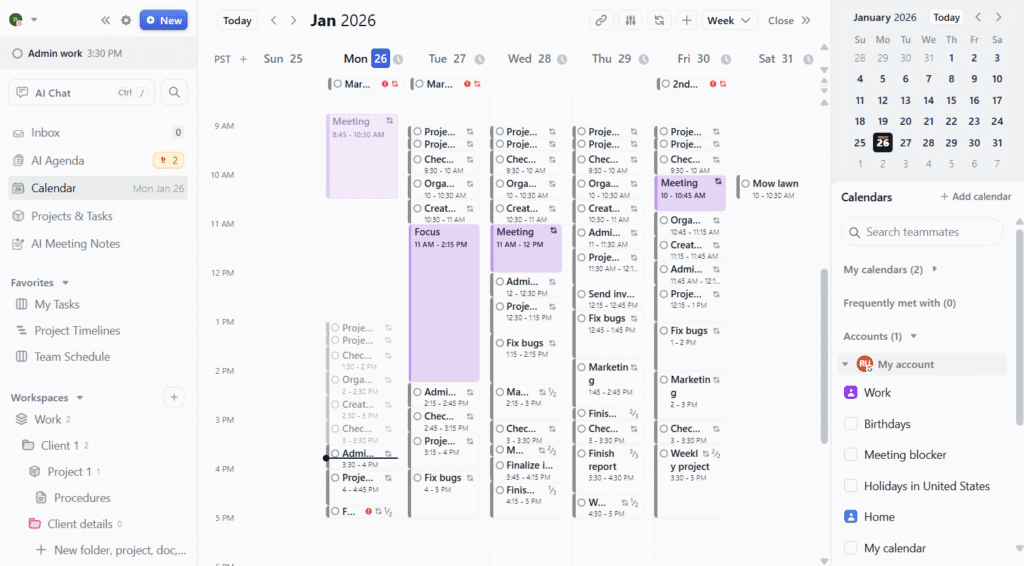
Motion is another AI scheduling app that is mostly focused on task scheduling like FlowSavvy, though it is more focused on teams. Like FlowSavvy, Motion does not automatically move meetings with teammates, so it’s best as a Clockwise alternative when the feature you’re looking for is the task scheduling.
In terms of team scheduling, Motion allows you to overlay teammates calendars on top of one another so you can find a time that works for everyone.
Motion’s strongest suit is project management. While tools like Clockwise and Reclaim mostly relied on integrations for task management, Motion features native task and project management with its project views and AI-assistant project creation.
Pros
- Advanced AI scheduling for tasks
- AI-assisted project creation
- Project management views
- Allows manual scheduling with attendees
Cons
- Does not automatically move meetings
- Limited mobile companion apps
- Higher learning curve
- Expensive
Pricing
- Free version: Yes
- Paid: Multiple tiers starting at $49/mo or $348/yr, with discounts for teams
💡Curious about the exact differences between Motion and FlowSavvy? Check out our FlowSavvy vs Motion comparison guide.
4. Microsoft Copilot in Outlook
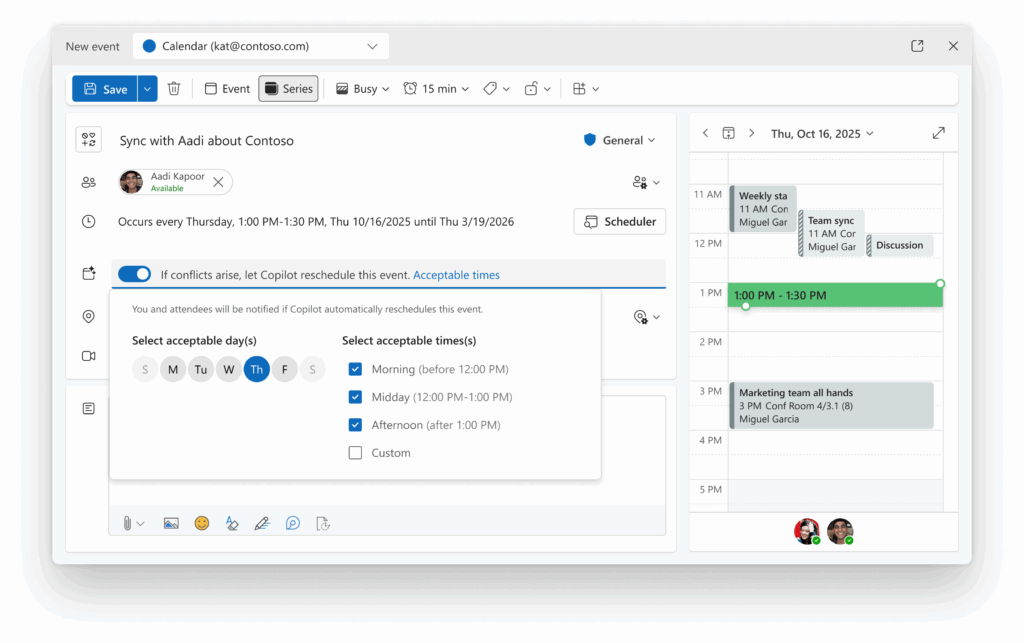
According to this Microsoft support page and this Microsoft announcement, Copilot can now reschedule events when a conflict arises. The screenshots shown in the announcements make it look like this feature will provide basic 1:1 meeting auto-rescheduling functionality like Clockwise.
However, it looks like this feature is not fully rolled out as of March 21, 2026, so I wasn’t able to test it even with a business Copilot license, which is why I’ve put it at the end of the list. You can check the rollout status of this feature here.
This might be a good one to keep an eye on in the future if your organization uses Outlook and the feature is already available in your account, but until it is fully released, the other apps mentioned will be better Clockwise alternatives.
Summary: What is the best Clockwise alternative?
If you need an AI assistant to automatically reshuffle meetings with internal and external guests, Reclaim is the only true replacement today, but keep an eye on Microsoft Copilot’s roadmap, since they’re in the process of rolling out basic auto-rescheduling features.
If you were using Clockwise more for flexible time blocking, FlowSavvy is the strongest alternative for individuals, while Motion makes more sense for teams that also want built-in project management.