Reclaim AI is a popular AI calendar app that protects your focus time via auto-scheduling and automations. However, it has a few limitations, like limited native task management, no mobile app, no repeating tasks, and more.
This guide is intended to help you find the right Reclaim.ai alternative for you, according to your use case.
Key takeaways
- For auto-scheduling tasks, choose FlowSavvy (best for individuals), Motion (best for teams), or SkedPal (best for advanced customizability)
- For manual control with AI suggestions, choose Morgen.
- For auto-scheduling meetings, choose Microsoft Copilot (for business Outlook users) or CalendarBridge (second best option for non-Outlook users)
- For copying events across calendars, choose CalendarBridge (more features) or SyncThemCalendars (only syncing)
How we evaluated alternatives
In order to find Reclaim AI alternatives, we looked for apps that offer one or more of Reclaim’s core features:
- Auto-scheduled tasks
- Auto-scheduled meetings
- Calendar syncing (copying events from one calendar to another)
In order to help you find the right Reclaim alternative for you, we searched for apps with those core features and thoroughly tested each one. Then, we picked the top ones for each category based on the following criteria:
- Similarity to Reclaim – Most important
- Reliability – Reclaim effectively never drops constraints or hallucinates like LLM-based scheduling assistants, so alternatives were held to the same standard
- Price – Least important but did sway recommendations when apps were priced well above the average
Disclaimer: One of the products below, FlowSavvy, is our product. We used the same criteria to evaluate it as a Reclaim AI alternative and have suggested it where it is a good fit and not where it isn’t.
Quick decision table
| Best for | Key features | Price | |
|---|---|---|---|
| FlowSavvy | Auto-scheduling tasks for individuals | – AI scheduling for tasks – Fully featured mobile apps – Intuitive UI (no team feature bloat) – Native task management – Repeating tasks and dependencies | Free; $14/mo or $120/yr |
| Motion | Auto-scheduling tasks for teams | – AI scheduling for tasks – Project management views – Team collaboration features | Multiple tiers starting at $49/mo or $348/yr. Discounts for teams |
| Skedpal | Auto-scheduling tasks with more customizability | – AI scheduling for tasks – Infinite nested subtasks – More scheduling customizations than Reclaim | Multiple tiers starting at $14.95/mo or $119.40/yr |
| Morgen | Dedicated calendar app with highly customizable calendar syncing | – Integrate with several task management apps – AI planner for help scheduling tasks – Copy events across calendars | $30/mo or $180/yr, with discounts for teams |
| Microsoft Copilot | Auto-rescheduling Outlook meetings | – Auto-rescheduling 2-person meetings – Built in to Outlook | Included with Copilot business license |
| CalendarBridge | Syncing calendars and scheduling multi-member meetings | – Copy events across calendars – Basic unified calendar view – Email-based AI assistant can help reschedule meetings with guests | Multiple tiers starting at $5/mo or $48/yr |
| SyncThemCalendars | Simple calendar syncing | – Copy events across calendars – Override event details – Simple setup | Multiple tiers starting at $4.99/mo or $47.88/yr |
FlowSavvy: Best for auto-scheduling for individuals
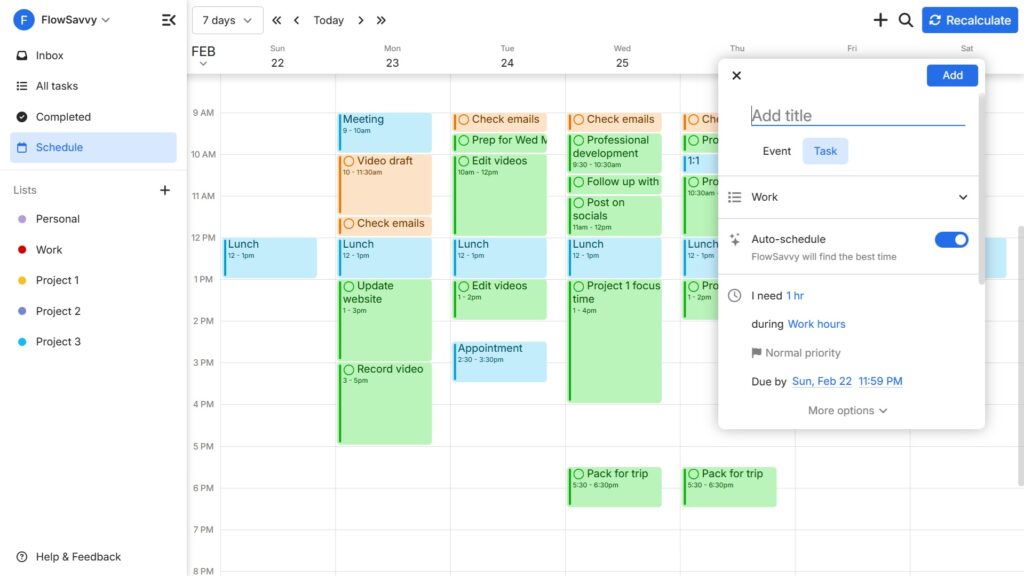
FlowSavvy is an AI calendar that plans tasks into your schedule and automatically adjusts when plans change. It’s built specifically for individuals, with a focus on ease-of-use, so you can use advanced auto-scheduling without the learning curve.
Common reasons people choose FlowSavvy as a Reclaim alternative are that FlowSavvy offers fully built-out iOS/Android apps, native list/task management for organizing tasks, repeating tasks, and task dependencies.
If you’re looking for an app to auto-schedule your tasks and care about a good solo experience (rather than team collaboration features), FlowSavvy will be the closest Reclaim alternative for you.
Pros
- Creates your schedule based on your to-do list and priorities
- Automatically reschedules when plans change
- Full mobile apps
- Low learning curve
- Flexible repeating tasks and task dependencies
Cons
- No team features. Built for the individual experience.
- No built-in chat component. Use the MCP for natural language support.
Pricing
- Free version: Yes
- Paid: $14/mo or $120/yr
💡Check out our FlowSavvy vs Reclaim comparison for an in-depth comparison.
Motion: Best Reclaim alternative for teams
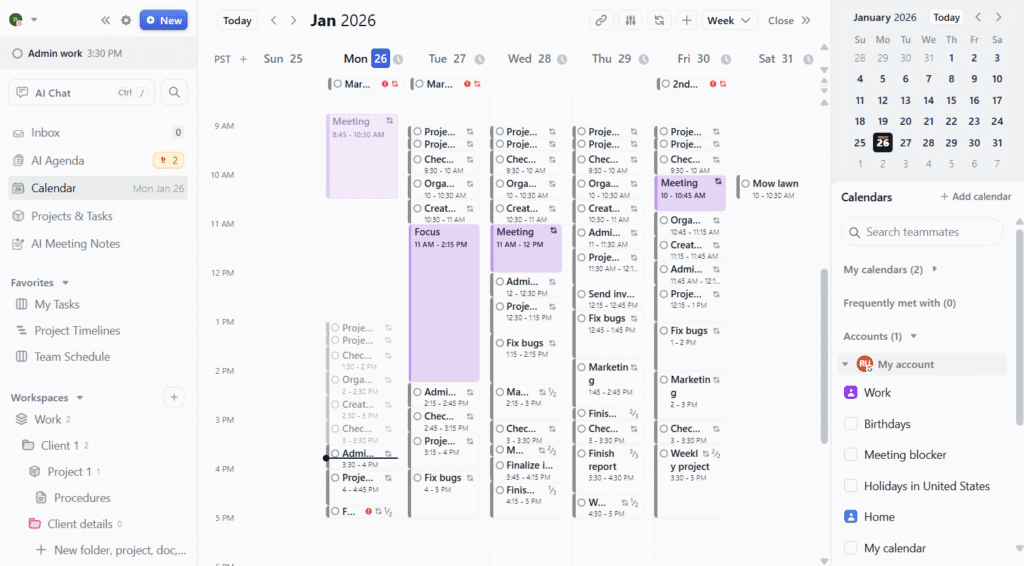
Motion is an AI productivity suite that includes an AI calendar as a core part of its offering. It operates very similarly to Reclaim and FlowSavvy in that it auto-schedules tasks into the calendar around your existing events, and auto-reschedules tasks when conflicts come up.
While auto-scheduling is the core feature of Motion, Motion includes many more features in its offering, like AI project management, AI Docs, AI chat, AI meeting notetaker, collaboration, and more. This makes Motion a powerhouse for teams looking for a full productivity suite that includes Reclaim-like task auto-scheduling.
Pros
- Helps create projects and plan tasks into your team’s schedules
- Auto-reschedules tasks when conflicts come up
- Advanced project management views like Gantt charts and Kanban boards
- Coordinate task assignees, track team workload, and predict project completion dates
- Supports task dependencies
Cons
- Takes a long time to learn because of its complex views
- Pricing is expensive for individual users
- The mobile app is a limited companion app
Pricing
- Free plan: No
- Paid plans: Multiple tiers starting at $49/month or $348/year.
Skedpal: Best for more customizability
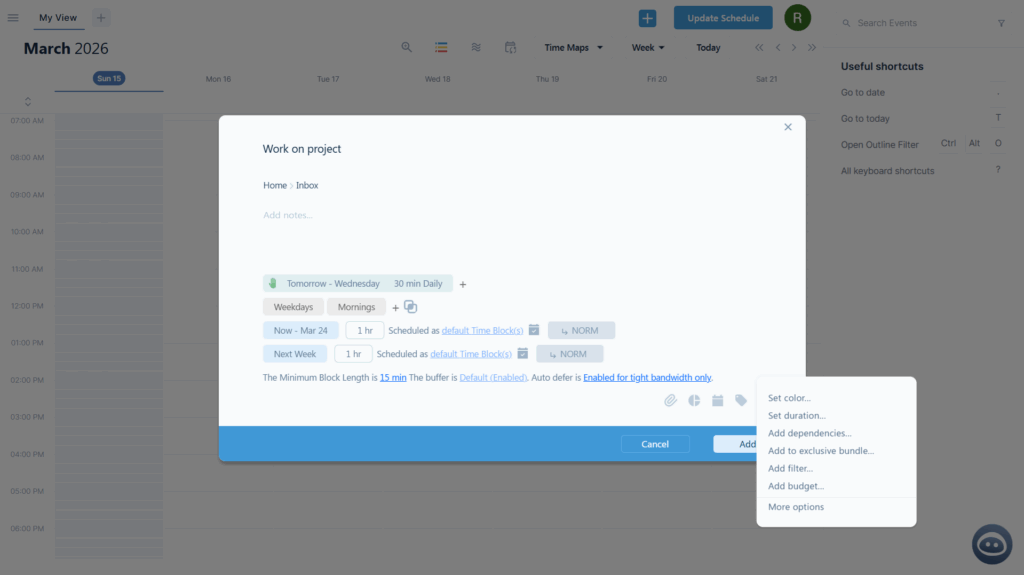
If you want your tasks to be auto-scheduled into your calendar but felt limited by Reclaim’s options, Skedpal might be the best alternative for you. Skedpal is another AI calendar app like Reclaim, FlowSavvy, and Motion, but it offers much more customizability than all three of those apps. You can set different scheduling rules for different parts of the same task, set max time per day, combine scheduling hours, and much more.
While Skedpal is very customizable, this does also mean that it has a high learning curve, so it will take a while to fully grasp all the capabilities.
One important difference between Reclaim and the other apps listed in this section is that Skedpal’s auto-recalculate is only available on the highest paid plan and only auto-updates today’s schedule. To update the entire schedule, you’ll need to click the “Update schedule” button, so it’s less automatic than Reclaim. If that’s less important to you though and you prefer more customizability, Skedpal may be the right app for you.
Pros
- Auto-schedules tasks into your calendar
- High auto-scheduling customizability and control
- Infinite nested subtasks
Cons
- Dense UI and options mean a higher learning curve
- Auto-reschedule is not as robust as Reclaim, FlowSavvy, and Motion
- No native collaboration features. Designed for individuals
- Limited companion mobile app
Pricing
- Free version: No
- Paid: Multiple tiers starting at $14.95/mo or $119.40/yr
Morgen: Best for manual control with AI suggestions
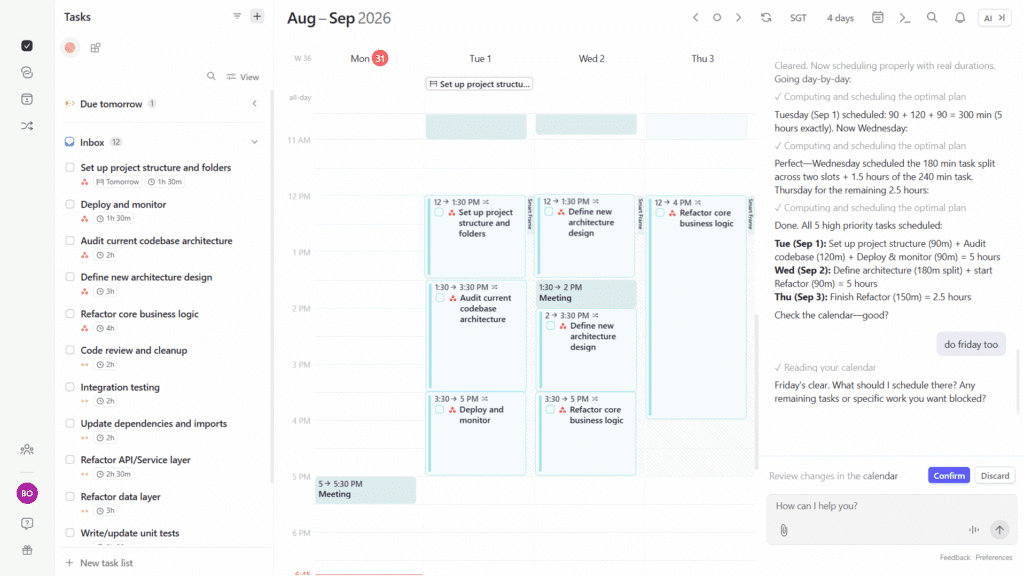
Morgen is a time blocking app that allows you to drag tasks from your to-do list into your calendar. It has an AI planner feature you can use to plan your week, though it is designed to be used to make changes more intentionally rather than fully automatic schedulers like Reclaim, FlowSavvy, and Motion.
While there are a few other planning apps similar to Morgen, Morgen has several additional features that Reclaim has that make it the best in its category as a Reclaim alternative. For example, Morgen has a feature called “Calendar Propagation” that allows you to copy events from one calendar to another, just like Reclaim’s “Calendar sync” feature, and Morgen can automatically add decompression time after meetings, exactly like Reclaim.
Morgen as a Reclaim alternative is best suited for people who want an excellent time blocking app with helpful automations and help from the AI planner only when they want it.
Pros
- Good time blocking app
- Large number of integrations
- AI planner gives scheduling suggestions you can accept or reject
- Calendar propagation is highly customizable via code
Cons
- Not as automatic as Reclaim
- Limited companion mobile app
Pricing
- Free version: No
- Paid: $30/mo or $180/yr, with discounts for teams
Microsoft Copilot in Outlook: Best for auto-rescheduling meetings
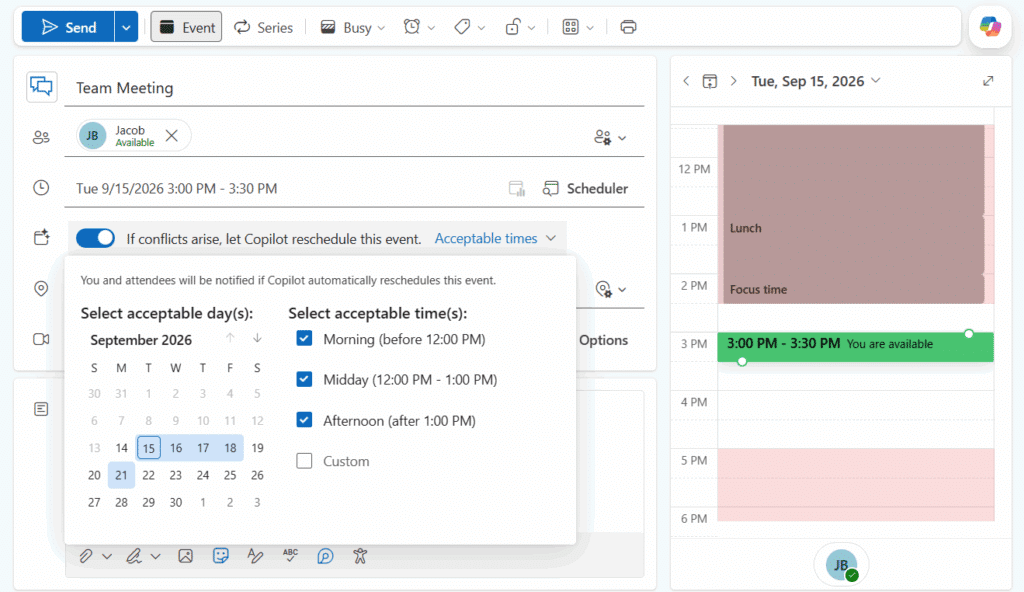
Microsoft Copilot in Outlook can reschedule events when a conflict arises, very similar to how Reclaim auto-rescheduled meetings when conflicts came up. When creating the event, just select “If conflicts arise, let Copilot reschedule this event”. Then, if you create or accept a new event at a time that conflicts with the flexible meeting, Copilot will find a new time for the event.
We signed up for 2 licenses of “Microsoft 365 Business Standard with Copilot” to test out this feature, and it works really well. When a conflict would come up, Copilot usually fixed it in 30-60 seconds. We confirmed Copilot does take both users’ availability into account when rescheduling the meeting, so it genuinely does move the meeting to a new time that makes sense for both users.
This feature is only available on paid business plans with Copilot. If you’re on a paid business plan with Copilot and don’t see this feature in Outlook for Web or the new Outlook desktop app, your account may not have it yet. You can check its rollout status here.
If your organization already uses Microsoft 365 with Copilot, this is a helpful feature that can help you automatically reschedule meetings like Reclaim, but otherwise, an email-based AI assistant like CalendarBridge below will be the second-best option for you.
Pros
- Automatically reschedule personal events and 1:1s
- Supports both one-off and repeating events
- Exists natively inside Outlook, so Outlook users don’t need to learn a new platform
Cons
- Not supported for meetings with 3 or more attendees. Only personal events and meetings with one guest are supported. With the shutdown of Clockwise earlier this year, Reclaim is now the only app we’re aware of that automatically reschedules multi-member meetings without being prompted.
- The event is only rescheduled if the event’s owner introduces a conflict. It will not auto-reschedule if the guest introduces a conflict.
- Several other limitations listed on the official page.
Pricing
- Free version: No
- Paid: Included with paid business plans with Copilot
CalendarBridge: Best email-based scheduler
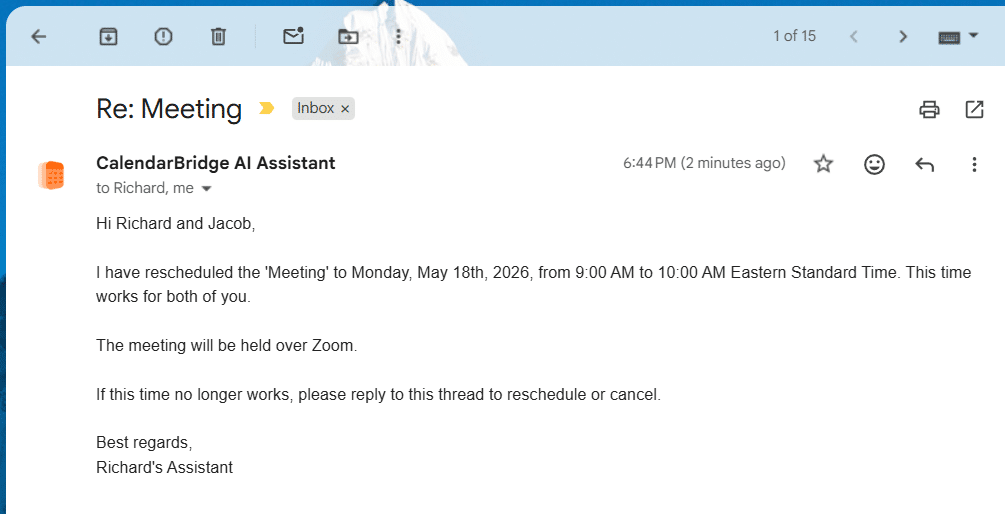
CalendarBridge is primarily an app for copying events across calendars and viewing events in a unified calendar view. It also includes an AI chat for interacting with your calendar, and an email-based AI scheduling assistant. While not designed for task management, CalendarBridge is a great option for those looking for alternatives to Reclaim’s calendar sync feature and an AI assistant to help with multi-member meetings.
With CalendarBridge, you can CC your AI assistant just like a regular assistant, and it will take over the scheduling, telling your guests when you’re free and coordinating with them to find a time to meet.
CalendarBridge won’t auto-detect conflicts and proactively reschedule meetings like Reclaim, but if you notice a conflict, you can email the assistant, and it will work to find a new time. Even better, if all attendees have a CalendarBridge account, the assistant will skip the back-and-forth and will instantly reschedule the meeting to a time that works for all parties. We found this works best if you put a sentence in your “user configuration” settings to instruct your assistant to not ask for confirmation if it can already see the time is available.
Among email-based AI scheduling assistants, we found CalendarBridge to have the best balance of reliability and price. Other options we looked at were either much more expensive or weren’t as responsive as we hoped, which is why CalendarBridge is our top recommendation for email-based AI scheduling assistant Reclaim AI alternatives.
Pros
- Easy to set up calendar syncs
- Email-based AI meeting scheduler assistant for easier booking
- The AI scheduling assistant can instantly find a new time for multi-member meetings when you ask it to
- Unified calendar view hides event copies to avoid clutter
Cons
- Calendar sync does not support overriding values like Busy/Free
- Not designed for task management
Pricing
- Free version: No
- Paid: $5/mo or $48/yr
SyncThemCalendars: Best simple calendar syncing tool
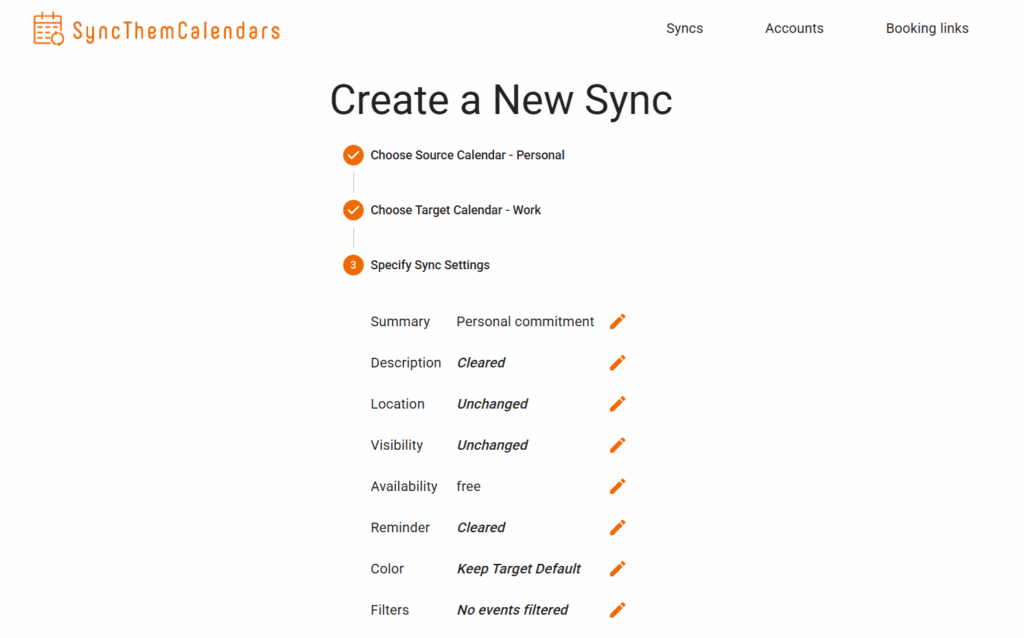
SyncThemCalendars is a simple way to configure syncs between your calendars. You can set a source calendar, a target calendar, and override rules to change the values of the events’ fields, and then SyncThemCalendars will copy your events over to the target calendar.
SyncThemCalendars doesn’t offer a calendar view, but if you’re looking for only the ability to copy events between your calendars like Reclaim’s “Calendar sync” feature, SyncThemCalendars is the most lightweight way to do this.
Pros
- Easy way to sync events across calendars
- Can override values like availability
Cons
- Only title filtering
- No unified calendar view. This app is only for configuring the syncs
Pricing
- Free version: No
- Paid: Multiple tiers starting at $4.99/mo or $47.88/yr
Final thoughts: What is the best Reclaim.ai alternative?
The best Reclaim alternative will depend on which features you wanted from Reclaim. If you want auto-scheduling for your tasks, use FlowSavvy, Motion, or Skedpal. If you want help scheduling tasks without fully automatic rescheduling, choose Morgen. If you want help auto-scheduling meetings with team members, use Microsoft Copilot in Outlook or CalendarBridge, and if you want to duplicate events across your different calendars, use Morgen, CalendarBridge, or SyncThemCalendars.
FAQs
Is there a free alternative to Reclaim AI?
Yes. Besides Reclaim, FlowSavvy is the only other robust auto-scheduler that offers a free plan.
Do any Reclaim AI alternatives have a mobile app?
Yes. For auto-scheduling tasks, FlowSavvy is the only Reclaim alternative that offers fully-featured mobile apps. Motion, Skedpal, and Morgen offer companion apps designed to be used with the web versions. For syncing calendars, CalendarBridge offers a mobile app.
Is there a Reclaim AI alternative that works with iCloud?
Yes, FlowSavvy, Motion, Skedpal, Morgen, and CalendarBridge support iCloud. SyncThemCalendars also supports iCloud, but it requires a @icloud.com, @me.com, or @mac.com email address.
Is Motion or Reclaim AI better?
Motion and Reclaim AI are better for different things. Motion is best for teams who need project planning and task auto-scheduling. Reclaim AI is better for people who want to protect their focus time through calendar automations.
Does Reclaim 2.0 auto-schedule individual tasks?
No, while Reclaim 2.0 still offers other auto-scheduling capabilities like Habits and Smart Meetings, it no longer auto-schedules individual tasks. To get this functionality, you can either downgrade to Reclaim 1.0 in Settings -> Account -> Manage my account, or use FlowSavvy, Motion, or Skedpal.