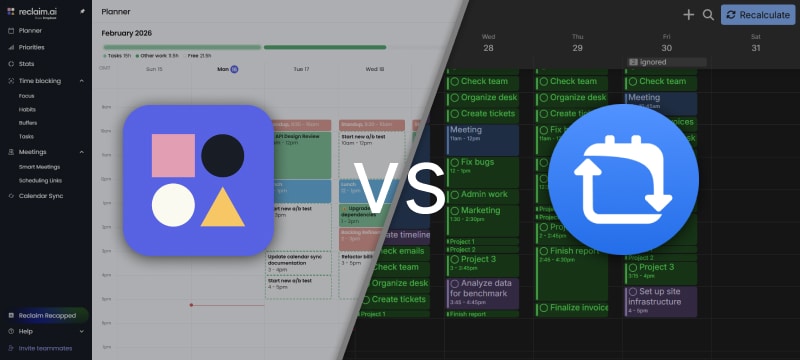
FlowSavvy and Reclaim are powerful auto-scheduling apps designed to automatically plan your tasks around your calendar. Both can handle complex workloads and adapt to changing schedules, but they’re built with different priorities in mind. In this comparison, we’ll break down how they differ across different categories to help you decide which one fits your workflow best.
Key Takeaways
- Both FlowSavvy and Reclaim are top-tier AI calendar apps that can handle complex workloads and adapt to changing calendars reliably.
- Reclaim is better suited for team-based workflows, with strong meeting coordination.
- FlowSavvy is designed primarily for individuals, emphasizing ease of use and streamlined auto-scheduling without unnecessary complexity.
- FlowSavvy provides full-featured web, iOS, and Android apps, while Reclaim is only on web.
Evaluation Criteria: How We Reviewed These Tools
To compare these tools fairly, we analyzed them against the criteria that matter most in an auto-scheduling app, as well as some of the areas where they differ most notably.
- Auto-Scheduling: How reliably each tool generates schedules and adapts to changes.
- Learning Curve: How quickly new users can get set up and start seeing value.
- Features: Other features the apps offer beyond basic scheduling.
- Integrations: How well each app connects with calendars and external tools.
- Collaboration: Support for team scheduling and shared availability.
- Pricing: Overall cost, and value for the features provided.
- Platforms: Availability and quality of mobile, desktop, and web apps.
We rated each of these categories 1-5 and created this quick comparison table below, and you can find in-depth explanations for each rating below the comparison table.
Quick Comparison Table
| Criteria | Reclaim | FlowSavvy |
|---|---|---|
| Auto-Scheduling | 5/5 Powerful and automatic, but front-loads work and reschedules more slowly | 5/5 Powerful auto-scheduling with workload balancing and fast, automatic recalculation |
| Learning Curve | 4/5 Mostly intuitive but denser UI that takes longer to learn | 5/5 Designed to feel minimal and easy to start using |
| Features | 5/5 Time tracking, stats, smart meetings, scheduling links | 5/5 Dependencies, lists, automatic color-coding, and task inbox |
| Integrations | 4/5 Google and Outlook calendars plus many task app integrations | 4/5 Google, Outlook, and iCloud calendars plus many task app integrations |
| Collaboration | 4/5 Strong team scheduling tools, but no collaborative task management | 2/5 Not designed for collaboration. Can sync to other platforms for collaboration |
| Pricing | 5/5 Free plan, higher-cost paid tiers geared toward teams | 5/5 Free plan and affordable paid plan with free trial |
| Platforms | 2/5 No mobile apps. Only PWA with limited functionality | 5/5 Fully featured Web, iOS, and Android apps |
Now for an in-depth comparison of each criteria 👇
Auto-Scheduling
Both FlowSavvy and Reclaim deliver top-tier auto-scheduling. Each can handle complex constraints, large workloads, and constantly changing calendars reliably. That said, there are a few notable differences in execution that are worth covering.
Quality of Generated Schedules
Both apps generate logical schedules that satisfy all constraints and make effective use of available time.
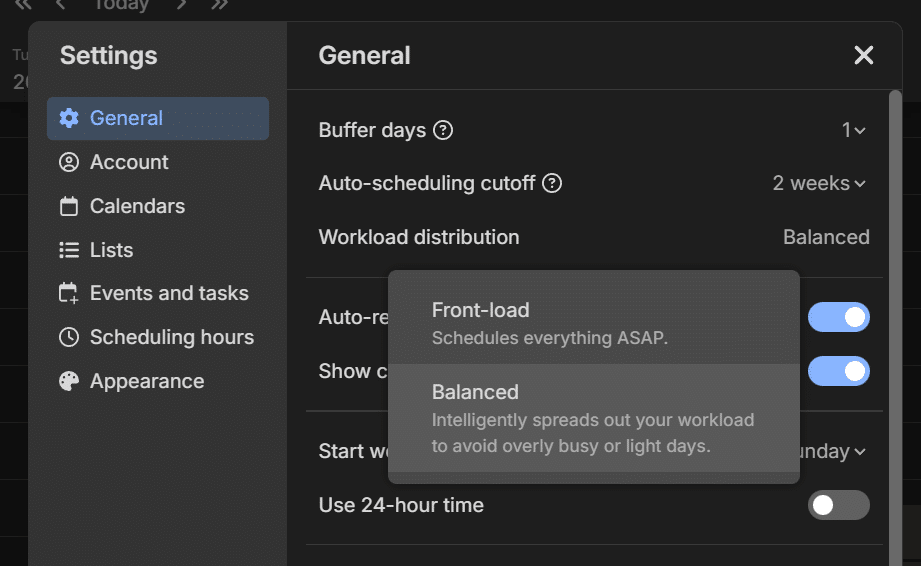
Reclaim tends to schedule work as early as possible, placing tasks wherever they first fit. This works well for people that want to get everything done as soon as possible, but it can also result in uneven workloads with a few very busy days followed by empty days.
FlowSavvy offers a “workload balancing” option that spreads tasks out more evenly across available days to avoid overly busy or light days. This setting aims to schedule a consistent amount of free time each day, which results in schedules that can feel more sustainable and realistic for some users.
Recalculation Performance
FlowSavvy recalculates schedules very quickly (usually 1-3 seconds depending on workload), making it easy to adjust plans frequently without losing momentum.
Reclaim reschedules more slowly when changes occur, usually taking 20+ seconds to update under heavy workloads, which can interrupt momentum if you make frequent updates throughout the day.
Automatic Rescheduling
Both apps update the schedule when changes are made inside the app or in synced calendars, but they differ in how they handle missed or in-progress tasks.
Reclaim locks tasks once their start time passes, preventing them from being rescheduled automatically. This helps limit unexpected changes to your schedule while working, but if you miss several tasks, you’ll need to unlock each one individually before they can be rescheduled. You can change this behavior by requiring tasks to be started manually, in which case missed tasks are continually rescheduled until you begin them.
FlowSavvy also offers the option to automatically lock tasks once they start or let them be rescheduled every time the schedule is recalculated. When locking is enabled, you can reschedule all past or in-progress tasks at once with a single click.
In short: choose Reclaim if you want to explicitly start tasks and continuously reschedule missed tasks, or FlowSavvy for faster recalculation and automatic locking of started tasks with easier bulk rescheduling.
Learning Curve
Both Reclaim and FlowSavvy are thoughtfully designed and generally intuitive, but they differ slightly in how quickly new users can feel comfortable using them.
Reclaim’s interface tends to be more feature-dense, with a greater number of options and concepts to learn. This gives users more flexibility, but it can also make the app feel busier and take longer to fully understand.
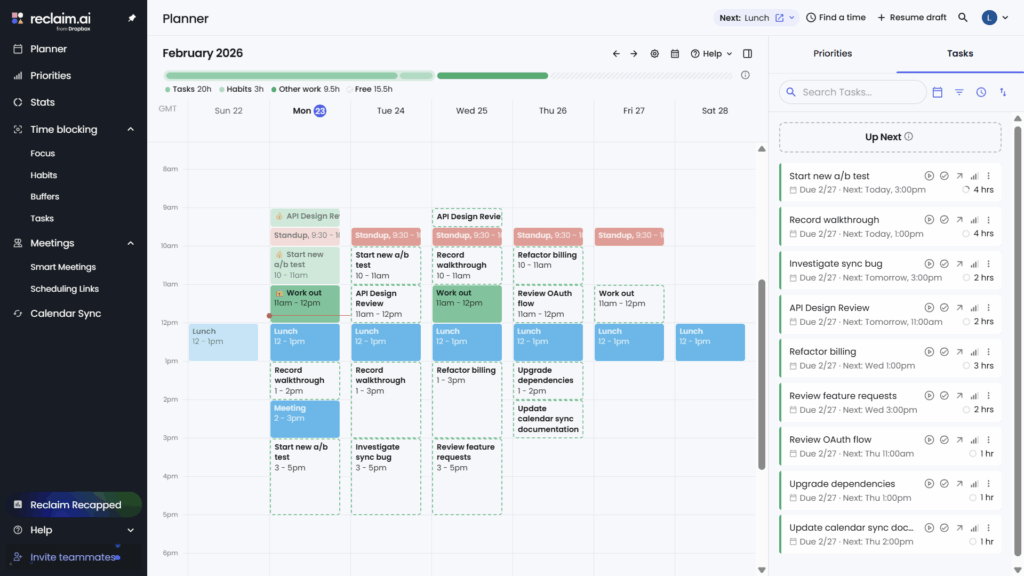
FlowSavvy is designed to feel familiar from the start, with an interface that works much like a standard calendar app. Its layout is lighter and less cluttered, and features are structured to be easy to discover and use without much setup. Despite the simplicity, it still provides powerful auto-scheduling behind the scenes.
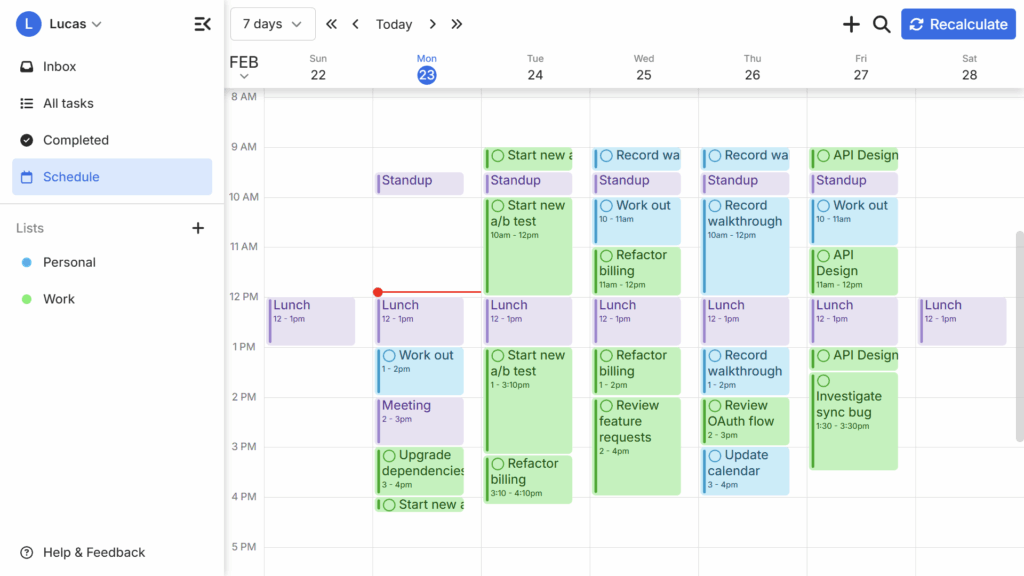
Overall, both apps provide extensive functionality and intuitive controls, but FlowSavvy’s interface tends to feel lighter and less visually dense.
Features
Both Reclaim and FlowSavvy are fully featured scheduling tools, but they emphasize different types of functionality. Reclaim leans more toward professional workflows and team scheduling, while FlowSavvy focuses on streamlined planning, task organization, and usability. Here are some of the main differences in their feature sets:
Reclaim highlights
- Time tracking with start/stop timers and work logs
- Statistics view
- Smart meetings and scheduling links
- Task visibility controls for showing or hiding tasks from teammates
- Options to sync events from multiple calendars into one to better reflect availability
FlowSavvy highlights
- Task dependencies
- Lists for task organization
- Bulk actions (delete, move, change due date, etc.)
- Inbox for unscheduled tasks
- Smart color-coding to help track deadlines visually
- Choice between dark and light mode
Integrations
Reclaim shines when it comes to to-do list integrations. They offer free integrations with Raycast, Slack, Zoom, Google Calendar, Outlook, and Google Tasks, and paid integrations with Todoist, Linear, Jira, Asana, and Clickup, which allow you to import tasks from other services.
FlowSavvy, on the other hand, currently offers a 2-way sync with Google, iCloud, and Outlook calendars, and it also integrates with Todoist, Apple Reminders, Microsoft To Do, and Google Tasks, plus Zapier for connecting other apps.
If importing tasks from other apps is important to your workflow, Reclaim is the better choice.
Collaboration
Reclaim includes several features designed to help coordinate schedules across a team. You can add teammates, create auto-scheduled “Smart Meetings” that adjust based on everyone’s availability and priorities, and share scheduling links. However, Reclaim does not support collaborative task management, such as assigning tasks to others or viewing teammates’ tasks.
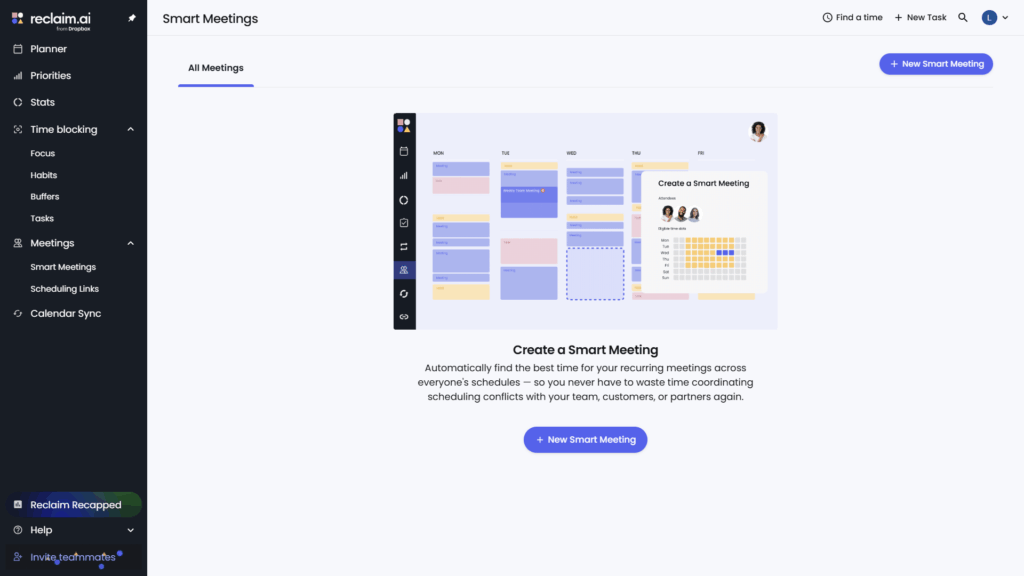
FlowSavvy is primarily designed for individual planning and does not include built-in team collaboration features. However, it syncs with Google, iCloud, and Outlook calendars, so users can rely on the collaboration and sharing features available in those platforms.
Pricing
FlowSavvy and Reclaim are both among the most affordable AI scheduling assistant apps of their caliber. FlowSavvy offers a robust free plan that works well for most users, with a premium plan that costs $14 per month or $120 per year. Reclaim also provides a strong free plan, with premium tiers starting at $12 per month or $120 per year.
Platforms
A significant differentiator between FlowSavvy and Reclaim is FlowSavvy’s mobile app. Not only does it support 100% of the features of the web app, it adds even more like push notifications, direct subscriptions through the app stores, and widgets. FlowSavvy was designed with a mobile-first approach since the beginning, and it offers users the same simple UI regardless of which device they use to access it.
Reclaim, on the other hand, does not have a dedicated mobile app. Instead, they encourage users to use Reclaim in their mobile browser or install the website on their home screen as a PWA, which doesn’t offer the same seamless experience as a dedicated mobile app.
If mobile access is important to you, FlowSavvy will be a better fit.
Summary
Both Reclaim and FlowSavvy are top-tier auto-schedulers that can reliably plan complex workloads and adapt when plans change. The main differences come from how they approach usability, collaboration, and the surrounding feature set. If you want a tool that’s more focused on team coordination with features like smart meetings and scheduling links, choose Reclaim. If you want a tool that prioritizes individuals and emphasizes ease-of-use, cross-platform accessibility, and value for money, choose FlowSavvy.