Product Update – July 2023
We have a ton of updates, so let's jump right in!
TL;DR:
🤝 iCloud and Outlook.com calendar syncing
📆 Connect multiple calendar accounts + increased free tier
⚒️ New and improved event/task page
🚗 Buffer/travel time on smart-scheduled tasks
⚙️ Default event/task settings
The details:
🤝 Sync your iCloud and Outlook.com calendars
Read-only syncing is now supported for iCloud and Outlook.com calendars. More info
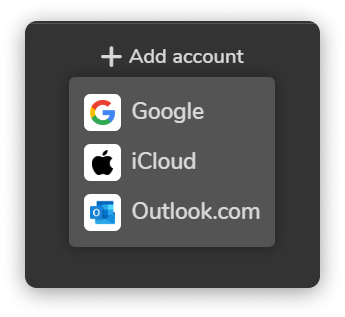
📆 Connect multiple calendar accounts
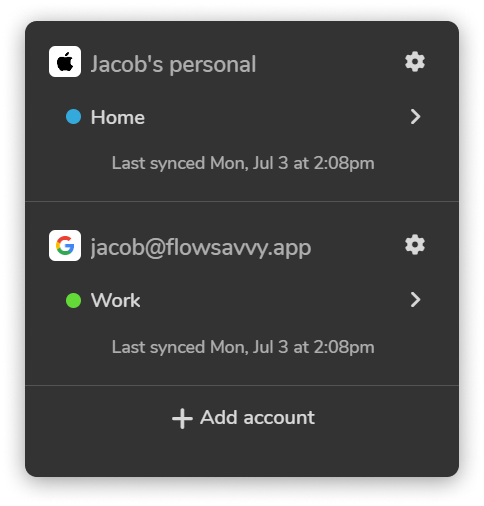
You can now connect multiple accounts from Google, iCloud, or Outlook.com. Perfect for anyone that has a work account and a personal account.
We've also increased the free plan from 1 synced calendar to 2 synced calendars, so feel free to add another calendar if you're on the free plan!
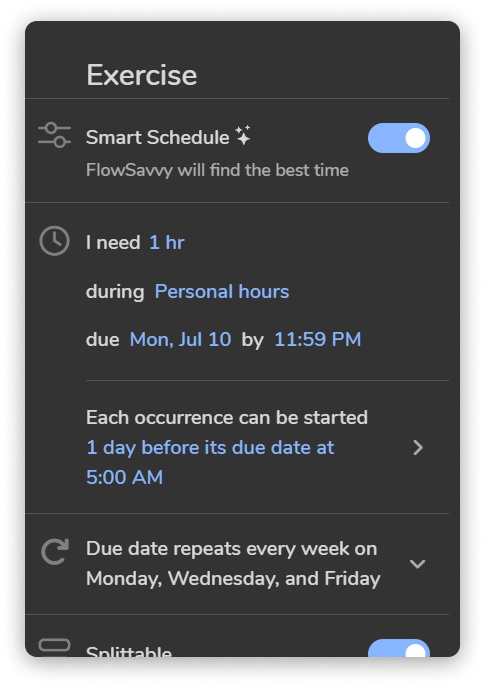
⚒️ New event / task page
Creating complex, smart-scheduled, repeating tasks was way harder than it should have been. After iterating through literally hundreds of designs and many, many rounds of testing with new users, we've arrived at a new, more intuitive event/task page that is still customizable enough to support a ridiculous number of use cases.
Please let us know if you have any thoughts on this rework as we are always looking for ways to improve!
🚗 Buffer/travel time on smart-scheduled tasks
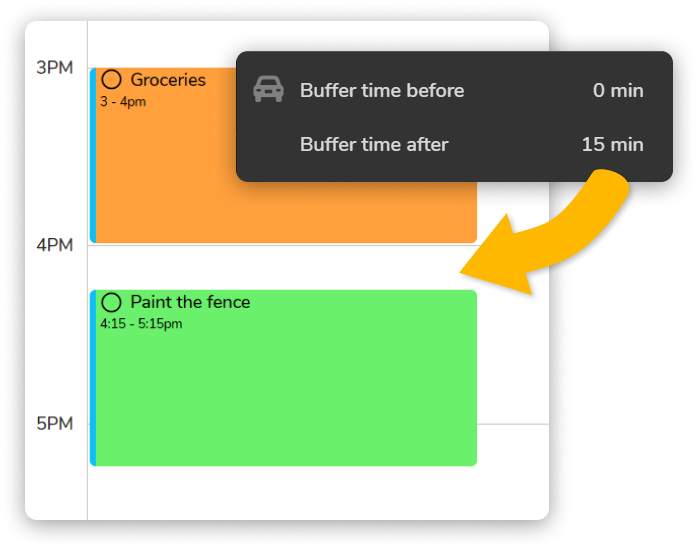
Buffer/travel time has been a feature on events and fixed tasks for a while, but a lot of people wanted to be able to put buffer/travel time on their smart-scheduled tasks as well. Wish granted 🪄 Buffer/travel time can now be added to smart-scheduled tasks!
⚙️ Default event/task settings
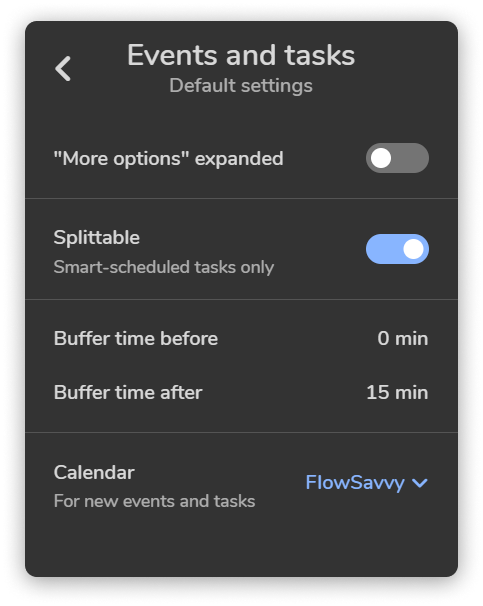
Speaking of buffer/travel time, another popular request was to be able to set defaults for settings like buffer/travel time, "splittable", etc. Default settings for events and tasks can now be edited in Settings > Events and tasks.
That's all for now! Thank you for your continued support, and we hope you enjoy the new updates!
 FlowSavvy TeamThe team at FlowSavvy, sharing practical tips, strategies, and guides designed to help you manage your time more effectively.