Product Update – September 2023
Big update for you! Here's what's new👇
Quick summary:
🔍 Quickly search for events and tasks
✅ New to-do list with filters
🏷️ Add tags to tasks for better organization
The details:
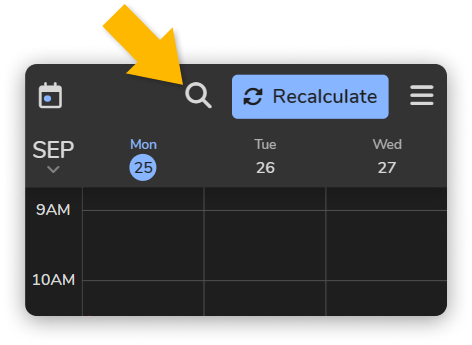
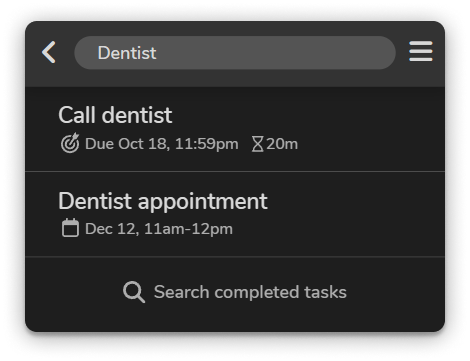
🔍 Quickly search for events and tasks
You can now use the search feature to find events and tasks by title, location, and notes! No more scrolling through the schedule and to-do list trying to find that one event or task!
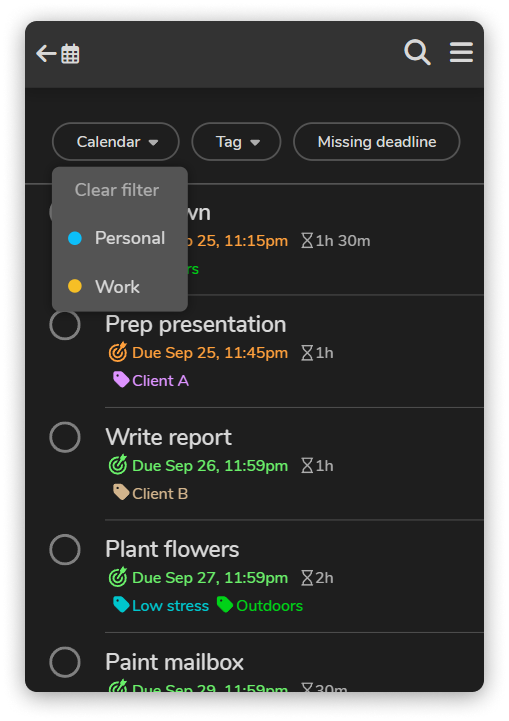
✅ New to-do list with filters
FlowSavvy's old to-do list was just a long, unfiltered list of tasks, and it was a pain to make sure everything was accounted for. If you wanted to make sure you put all your tasks in for a certain project, class, etc., you previously had to go scroll through your entire to-do list, keeping track of them in your head.
Good news: that ends today! We've given the to-do list view a complete makeover. Not only does it look better, but it also allows you to filter tasks by calendar and tags (new feature, more info below!), giving you more control over how you view and manage your tasks.
🏷️ Add tags to tasks for better organization
You can now create tags (up to 5 on the free plan, unlimited on Pro) and add them to your tasks! You can use tags to categorize your tasks in any way you like…
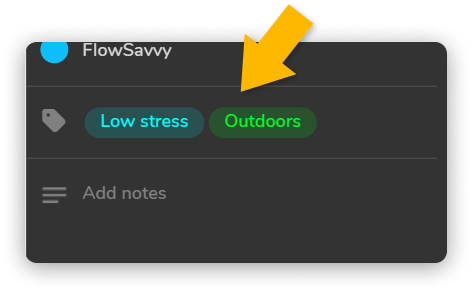
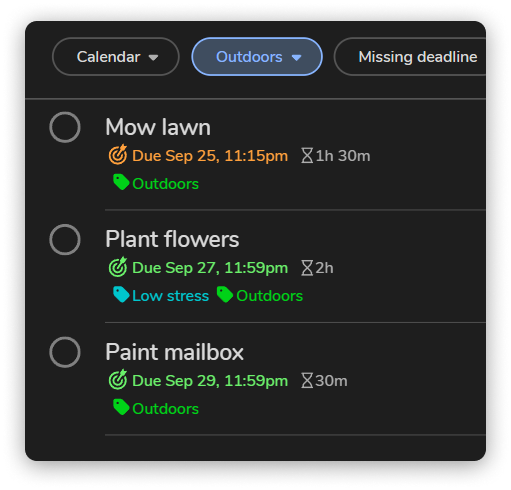
…and then filter by tag in the to-do list:
Along the way, we've also made a ton of smaller improvements and bug fixes that keep the app smooth, secure, and easy to use.
We hope you enjoy these new features! Try them out, and if you like what you see, we'd love if you could leave us a review! We appreciate your feedback and your continued support!
 FlowSavvy TeamThe team at FlowSavvy, sharing practical tips, strategies, and guides designed to help you manage your time more effectively.