
Introduction
Managing time effectively is essential for staying productive and on top of your busy schedule. While traditional to-do lists and calendars help to an extent, they often fall short when your days become packed with tasks and commitments, since it’s hard to keep track of when you need to get everything done.
This is why it’s essential to use an AI Schedule Maker to create and manage your calendar for you.
In this article, we’ll show you how to make a schedule with FlowSavvy, an AI Schedule Maker, and we’ll guide you through using it to manage your day-to-day tasks efficiently.
Benefits of Using an AI Schedule Maker
1. Less Cognitive Load
When you think of something you need to do, you can simply brain dump it into the AI Schedule and trust that the app will find the best time for it. You don’t have to spend time figuring out where it fits into your schedule—the AI scheduler takes care of that for you. This significantly reduces the cognitive load and stress of planning, leaving you free to focus on your work.
2. Manage Any Number of Tasks Without Extra Effort
Whether you have five tasks or fifty, an AI schedule maker seamlessly integrates them into your schedule. Apps like FlowSavvy use a sophisticated algorithm to blend everything together into an optimized, manageable timeline, so no matter how busy you are, you can trust your AI schedule to handle the workload with ease.
3. Instant rescheduling if you miss a task
Things almost never go to plan. Meetings run over, tasks take longer than expected, or you just get behind. Instead of manually rearranging everything, an AI schedule allows you to instantly reschedule your entire day.
4. Instantly know when you’re overcommitted or not
AI schedule makers make it easy to see your entire week or even month in advance, so you can quickly see whether you’re on track, at risk of missing deadlines, or if you’ve overcommitted and need to make adjustments.
How to Make Your Schedule With AI
For this guide, we’ll use FlowSavvy, an AI Schedule designed for ease of use.
Setting up FlowSavvy is easy, but the impact it has on your productivity is massive. Here’s a step-by-step guide to getting started:
1. Create a Free Account
Go to FlowSavvy and create your account
2. Connect Your Existing Calendars
After you create your account, you’ll have the option to connect your existing calendars. If you have any, connect your account(s) and select which calendars to sync. This will help FlowSavvy know when you’re available so it doesn’t schedule tasks during your other events.
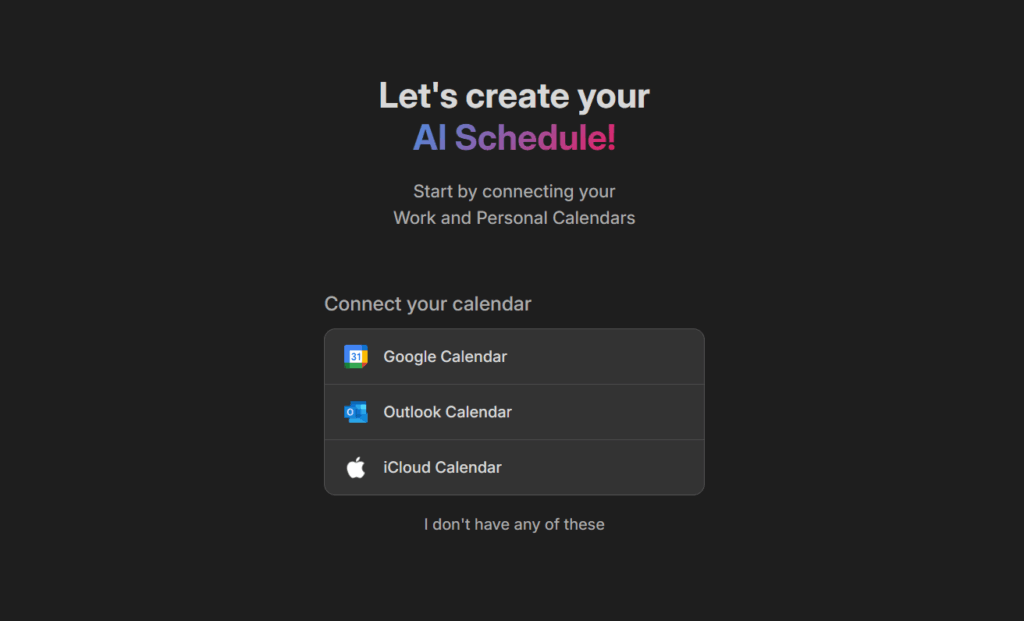
For more help syncing your calendars, see here.
3. Set Up Your Scheduling Hours
Scheduling hours are the windows of time when you’re available to work on tasks, and FlowSavvy will only schedule tasks during these hours. You can set up your scheduling hours in Settings > Scheduling Hours.
You can set up as many sets of scheduling hours as you want, like Personal hours, Work hours, Mornings, Evenings, etc, or just keep it simple with one set.
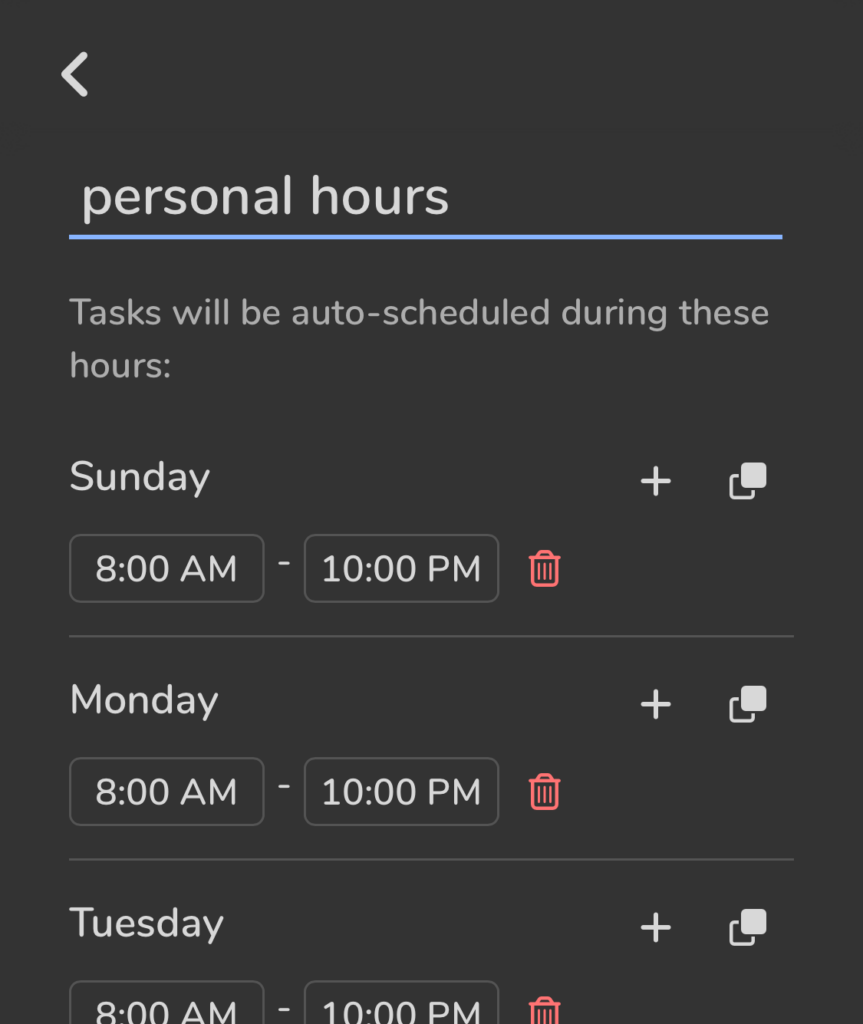
For more help with setting up scheduling hours, see here.
3. Add Your First Task
Click the plus button to start adding a task. Enter details such as the task’s title, how long it will take you, and when it needs to be done by. Make sure to keep “Auto-schedule” turned on.
Then, click “Add”, and FlowSavvy will automatically schedule it at the optimal time. Once a task has been added to FlowSavvy and scheduled, you can forget about it until it’s time to do it, allowing you to focus on one task at a time.
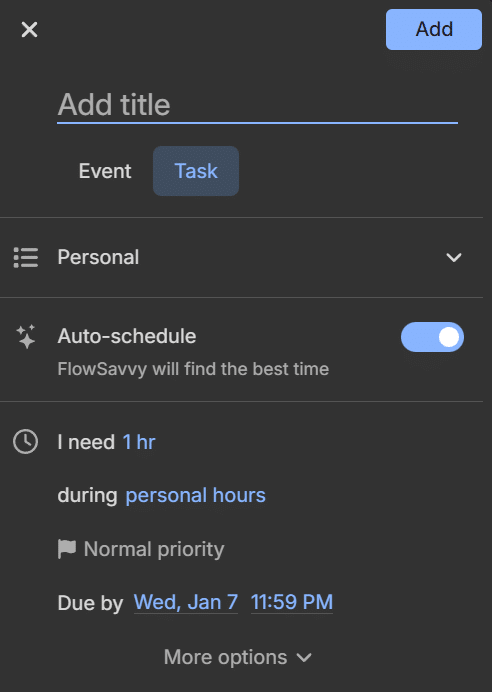
While you really only need to add the basic fields like Title, Duration, and Due date, Auto-scheduled tasks have a lot of customizable options. For a full explanation of each option, see here.
4. Add The Rest of Your Tasks
One of FlowSavvy’s strengths is how well it handles a busy schedule. Add as many tasks as you can think of, and FlowSavvy will work them into your day seamlessly. It thrives with a packed schedule and ensures every task gets the attention it needs.
That’s it! FlowSavvy will now make your schedule for you, and it will automatically reschedule your tasks if conflicts come up or you miss tasks.
Summary
Using AI to create your schedule is an effective way to offload cognitive load, give yourself more time, more clarity, and far less stress.
For an easy-to-use AI schedule maker, try out FlowSavvy today!