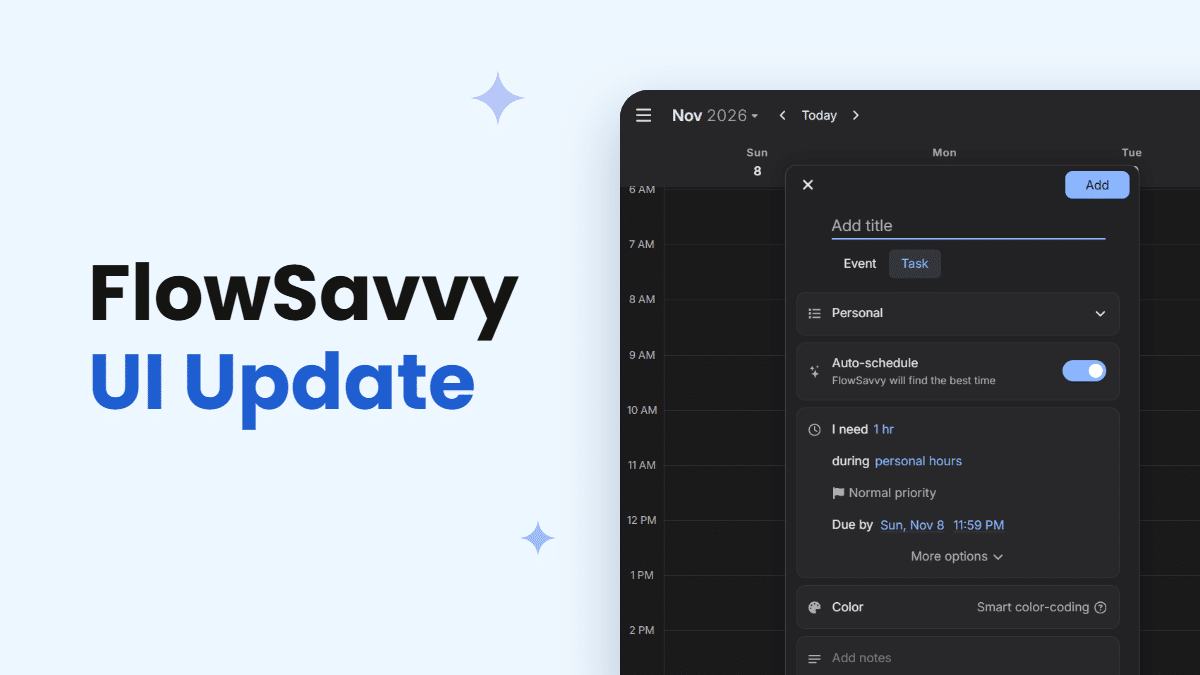
FlowSavvy has a new look! As part of our ongoing efforts to make FlowSavvy not only a great auto-scheduling experience, but also a calendar that feels nice to use, we’ve updated the UI all over the app.
What’s new in FlowSavvy’s November 2026 UI update
The update touches most parts of the app. Here’s the TL;DR:
- A redesigned event and task view
- New header layout for the web app
- Updated date, time, and duration pickers
- Refreshed dropdowns
- Updated dark theme colors
- Updated spacing and sizes throughout the app
- Other changes
A redesigned event and task view
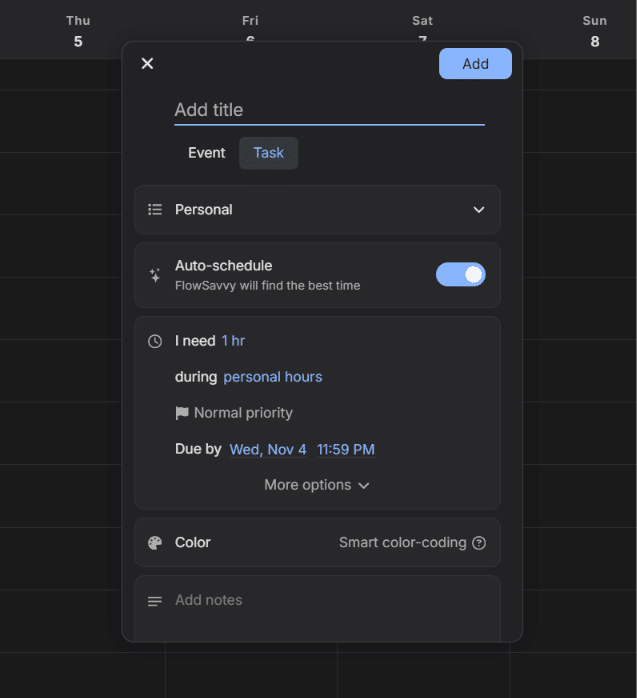
Before the update, the event and task view was one continuous panel split by thin divider lines. Now, each group of settings sits in its own separated card to give it a cleaner look.
New header layout for the web app
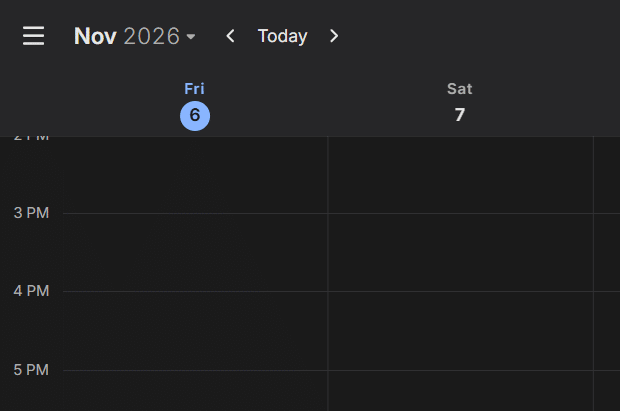
We’ve redesigned the header to be cleaner and more intuitive. The month picker has been moved to be the first item in the top row, followed by simplified nav buttons.
Cleaner date, time, and duration pickers
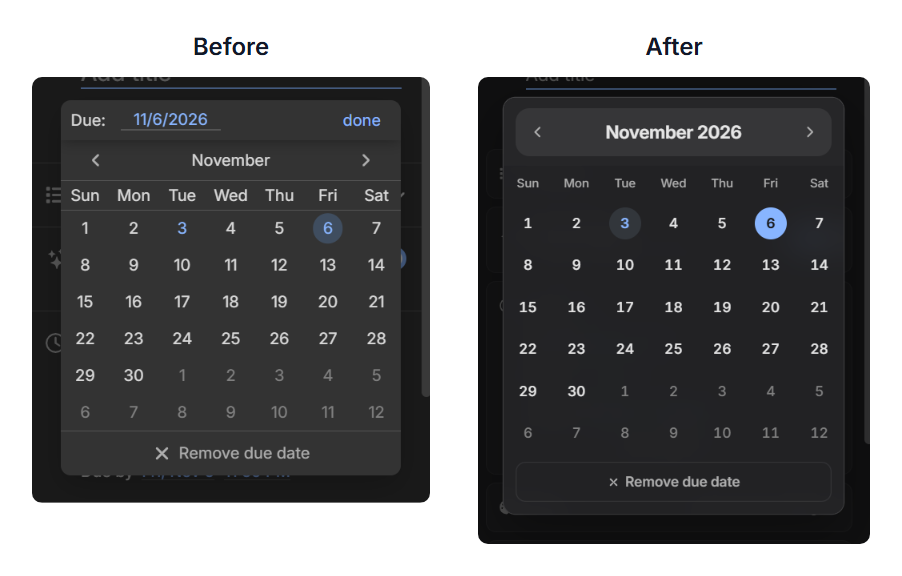
All three pickers have been rebuilt with a visually cleaner style. For example, here is the new date picker before and after:
Refreshed dropdowns
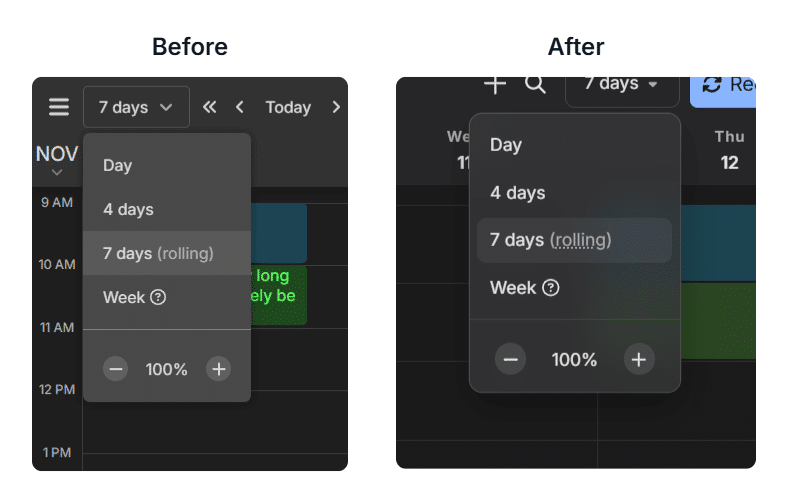
All dropdowns in the app have been updated to have a more modern look, plus a frosted-glass effect in dark mode. Here’s the before and after:
Better spacing and sizing across the app
We scaled down most parts of the app to reflect industry standards, giving a more compact view. This allows more information to be displayed on the page, including event and task details in the calendar, lists in the left sidebar, settings in the event and task details page, tasks on the to-do list views, and more.
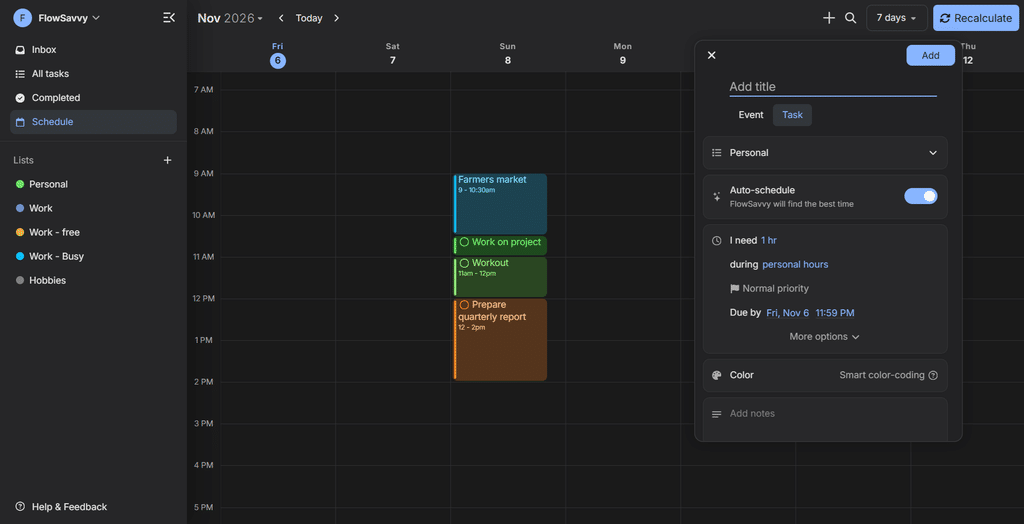
An updated dark theme
The colors have been updated in dark mode to a more modern look (see the screenshot in the previous section).
Other changes
Horizontal scrolling on the calendar
The calendar view can now be scrolled horizontally using the following methods:
- Trackpad swiping
- Side scroll mouse wheels
- Shift + wheel scroll
- Keyboard arrow keys
- Middle mouse click
- Touch screen swiping (already available, but tuned to feel more natural)
- The nav arrows in the header (already available, but modified)
- Click to move one day, shift+click to move one week (or 4 days on 4-day view).
- The nav arrows always move one week on week view.
New keyboard shortcuts
- Create a new task c
- Search events and tasks ctrl k
- Navigate one day ← →
- Navigate one week shift ← or shift →
Note: These were added as relevant additions to the UI update. We will continue adding keyboard shortcuts. Please send us a message to let us know which keyboard shortcuts you’d like to see in the app!
Try the new FlowSavvy UI
The new design is live in FlowSavvy now. Open the app to see it, or create a free account if you haven’t tried FlowSavvy yet.
FAQs
Has FlowSavvy’s UI been updated?
Yes. FlowSavvy gets regular UI updates over time. The most recent was in November 2026, when FlowSavvy updated its UI across the app, including the header, event and task view, date, time, and duration pickers, dropdowns, dark theme colors, spacing and sizes, and more.
Do I need to do anything to get the new design?
No. The update is live in the app now. If you don’t see the new designs, simply refresh the page (or close the app and restart FlowSavvy on mobile) to get the new version.
Does the new design apply to both light mode and dark mode?
Yes. The new styles apply in both light mode and dark mode. Dark mode also got updated colors and the frosted-glass effect on dropdowns.